LEDs on Matrox Radient eV-CXP 59
LEDs on Matrox Radient eV-CXP
Matrox Radient eV-CXP has LEDs to display the status of the CoaXPress links,
the on-board power, the board configuration, the PCIe (Host) slot, and the
firmware.
CoaXPress LEDs
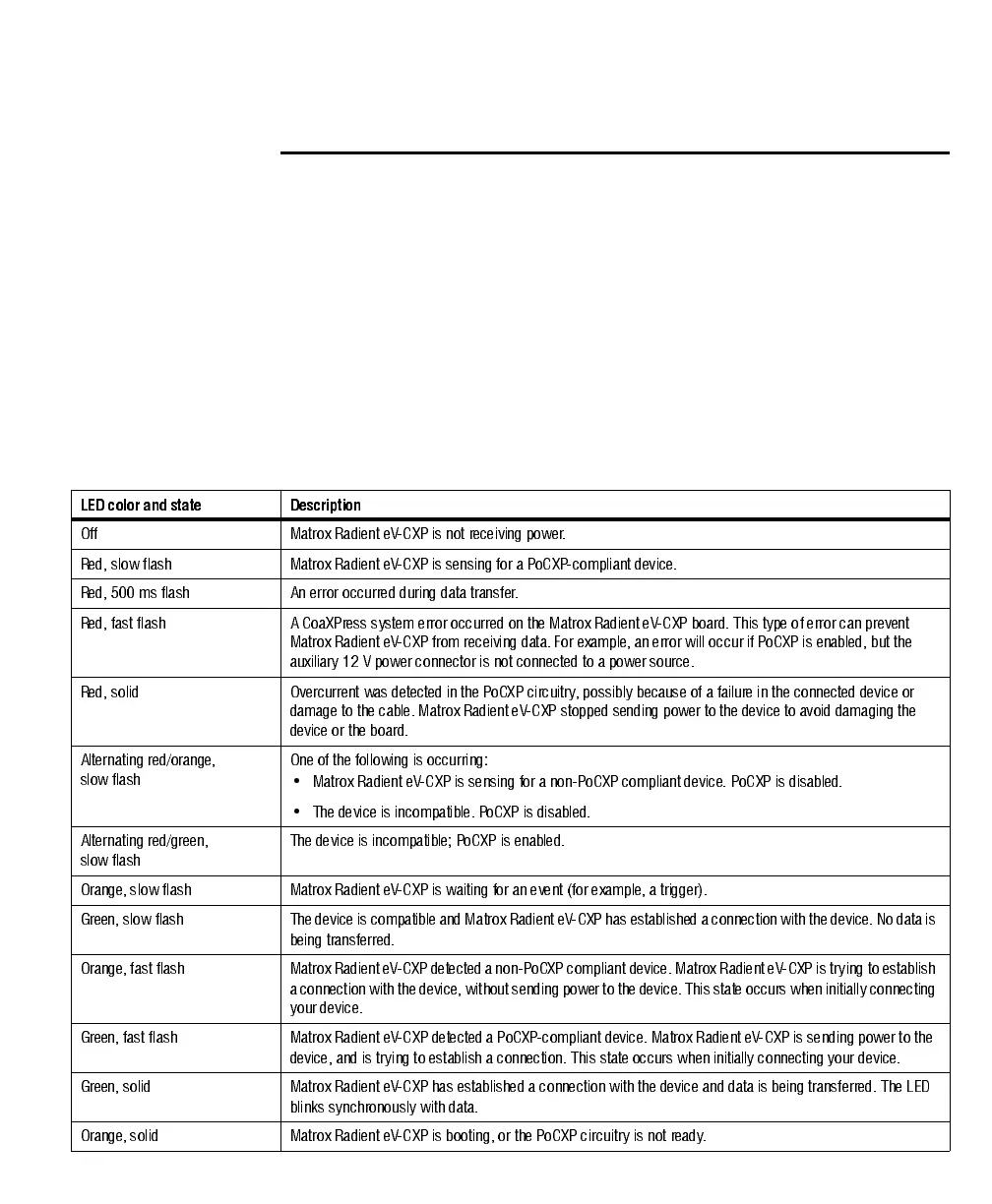
Matrox Radient eV-CXP has four CoaXPress LEDs on the main bracket. Each
LED corresponds to a CoaXPress video input connector, indicates the status of
the device attached to that connector, and indicates communication between the
device and Matrox Radient eV-CXP. The LED can help identify whether the
device is sending data, and whether Matrox Radient eV-CXP is transmitting
power to the device.
LED color and state Description
Off Matrox Radient eV-CXP is not receiving power.
Red, slow flash Matrox Radient eV-CXP is sensing for a PoCXP-compliant device.
Red, 500 ms flash An error occurred during dat a transfer.
Red, fast flash A CoaXPress system error occurred on the Matrox Radient eV-CXP board. This type of error can prevent
Matrox Radient eV-CXP from receiving data. For example, an error will occur if PoCXP is enabled, but the
auxiliary 12 V power connector is not connected to a power source.
Red, solid Overcurrent was detected in the PoCXP circuitry, possibly because of a failure in the connected device or
damage to the cable. Matrox Radient eV-CXP stopped sending power to the device to avoid damaging the
device or the board.
Alternating red/orange,
slow flash
One of the following is occurring:
• Matrox Radient eV-CXP is sensing for a non-PoCXP compliant device. PoCXP is disabled.
• The device is incompatible. PoCX P is disabled.
Alternating red/green,
slow flash
The device is incompatible; PoCX P is enabled.
Orange, slow flash Matrox Radient eV-CXP is waiting for an event (for example, a trigger).
Gree n, slow f lash The device is compatible and Matrox R adie nt eV -CXP has establishe d a connection with the de vice. No data is
being transferred.
Orange, fast flash Matrox Radient eV-CXP detected a non-PoCXP compliant device. Matrox Radi ent eV -CXP is tryin g to establish
a connection with the de vice, without send ing powe r to the device. This state occurs whe n in itially connecting
your device.
Green, fast flash Matrox Radient eV-CXP detected a PoCXP-compliant device. Matrox Radient eV-CXP is sending power to the
device, and is trying to establish a connection. This state occurs when initially connecting your device.
Green, solid Matrox Radient eV-CXP has established a connection with the device and data is being transferred. The LED
blinks synchronously wit h data.
Orange, solid Matrox Radient eV-CXP is booting, or the PoCXP circuitry is not ready.



 To Next Page