16 Chapter 2: Hardware installation
Installing your Matrox Radient eV-CXP board
Before you install your Matrox Radient eV-CXP board, some precautionary
measures must be taken. Turn off the power to your computer and its peripherals,
and drain static electricity from your body (by touching a metal part of the
computer chassis).
Important ❖ Note that your board should be installed before you install your software.
Proceed with the following steps to install your board:
1. Remove the cover from your computer; refer to your computer’s documentation
for instructions.
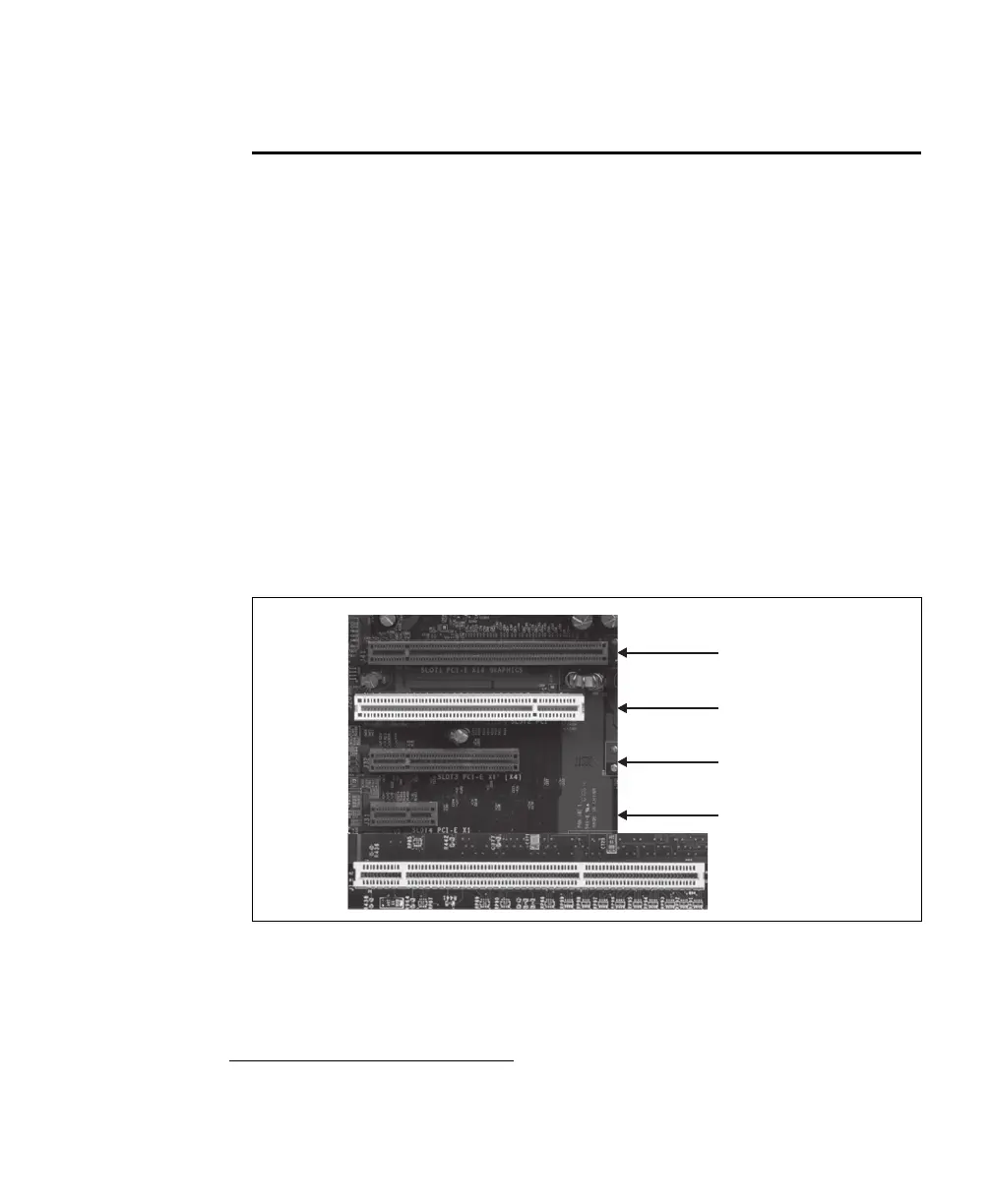
2. Check that you have an empty x8 (or x16) PCIe 1.x or 2.x slot in which to install
your Matrox Radient eV-CXP
*
. Note that a PCIe 2.x slot will ensure the fastest
possible transfer of data to the Host.
*. Note that you can also install Matrox Radient eV-CXP in a x4 PCIe slot that has a
mechanical x8 connector; however, the maximum transfer rate between Matrox
Radient eV-CXP and the Host is reduced by 50%.
x16 PCIe
32-bit PCI slot
x8 PCIe
x1 PCIe
64-bit PCI-X slot



 To Next Page