28 Matrox TripleHead2Go – User Guide
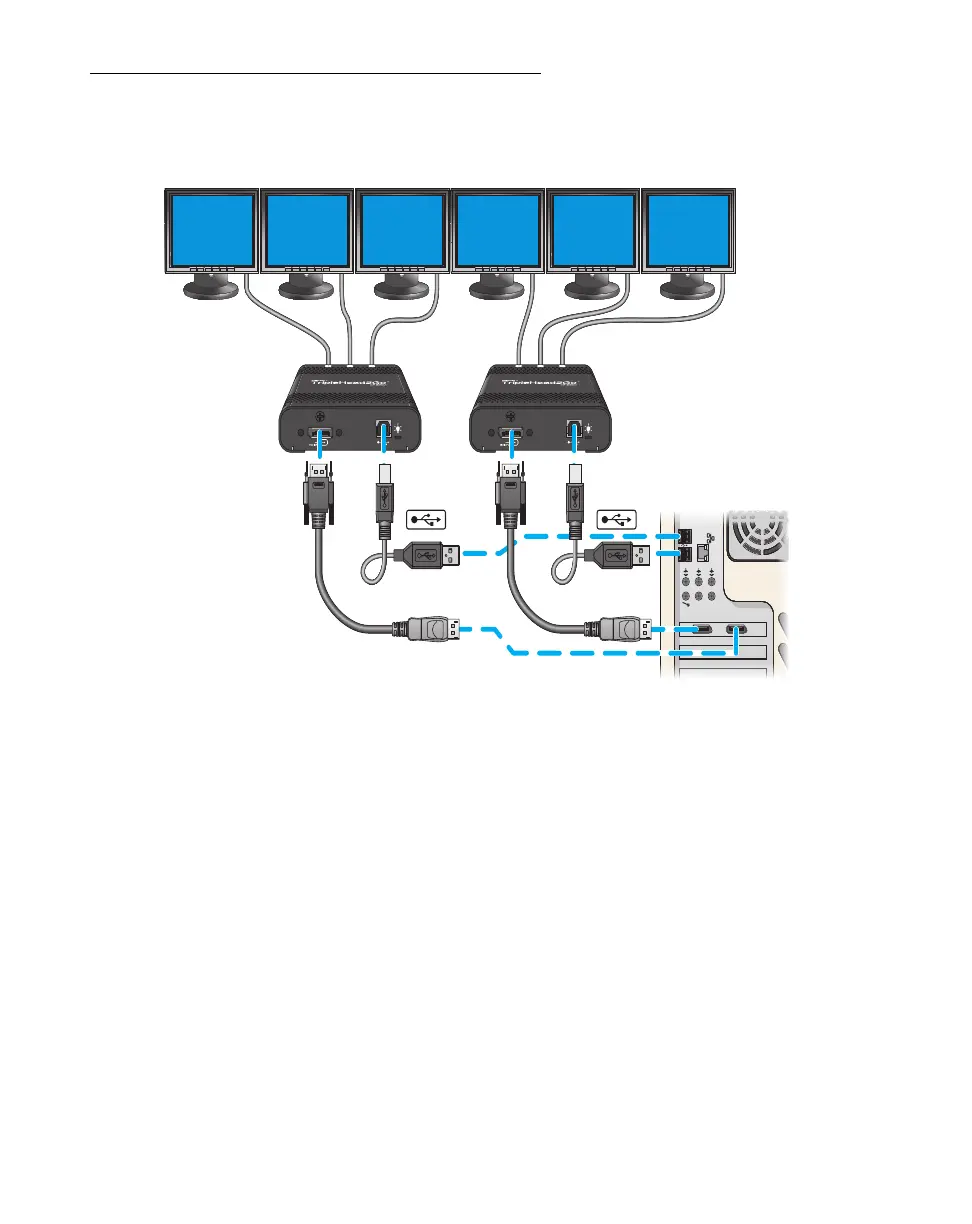
Connecting two TripleHead2Go products
Connection overview
Step-by-step connection setup
To connect a second TripleHead2Go product, repeat the “Step-by-step connection setup” for your
product.
In
step 3
, when attaching the Matrox input cable, attach one end of the input cable either to another
connector on your graphics card or to a connector on a second graphics card installed in your system.
Attach the other end of the cable to the input connector on your second TripleHead2Go product.
(TripleHead2Go DP Edition shown)


 To Next Page