Matrox TripleHead2Go – User Guide 39
Product information
Specifications
TripleHead2Go Analog
Edition
TripleHead2Go Digital
Edition
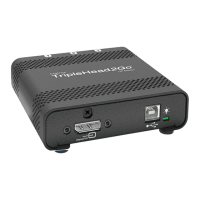
TripleHead2Go DP
Edition
Key features
Supports notebook and desktop computers Bezel Management Surround
Gaming Stretched modes Wide-screen resolutions
Supported
operating
systems
Windows 7, Windows Vista, Windows Server 2008, Windows XP, Windows Server
2003, and Windows 2000
Supported
resolutions
*
* Your Matrox product ships with four default display modes. For TripleHead2Go Digital Edition and TripleHead2Go DP Edition
products, additional display modes are available through Matrox PowerDesk software. For more information, see Matrox
PowerDesk help.
3840 × 1024 @ 60 Hz
3072 × 768 @ 75 Hz
†
2400 × 600 @ 60 Hz
1920 × 480 @ 60 Hz
† While using flat panel monitors, we recommend using a refresh rate of 60 Hz.
3840 × 1024
‡
@ 60 Hz
3072 × 768 @ 60 Hz
2400 × 600 @ 60 Hz
1920 × 480 @ 60 Hz
‡ Available only with graphics hardware that supports HD-15 or dual-link DVI connections.
4080 × 768 @ 60 Hz
3840 × 1024 @ 60 Hz
3072 × 768 @ 60 Hz
2400 × 600 @ 60 Hz
Input
connectors
1
×
HD-15 1
×
DVI-DL or 1
×
HD-15 1
×
DisplayPort
Output
connectors
3
×
HD-15 3
×
DVI-I 3
×
DisplayPort
Analog monitor
support
9
9
§
9
§
§ Requires adapter (sold separately). To purchase an adapter for your Matrox product, see the Matrox online store
(http://shopmatrox.com
).
Digital (DVI)
monitor support
—
9
9
§
DisplayPort
monitor support
——
9
Multi-GXM
support
—
99
Clone mode
support
——
9
Power supply
External power adapter
(5 VDC, 2A)
USB USB and DisplayPort
Dimensions
3.8"
×
4.2"
×
0.94"
(9.6 cm
×
10.7 cm
×
2.4 cm)
4.4"
×
5.5"
×
1.1"
(11.3 cm
×
14 cm
×
2.8 cm)
3.5"
×
3.54"
×
1.1"
(8.9 cm
×
9 cm
×
2.8 cm)


 To Next Page