30 Matrox TripleHead2Go – User Guide
2
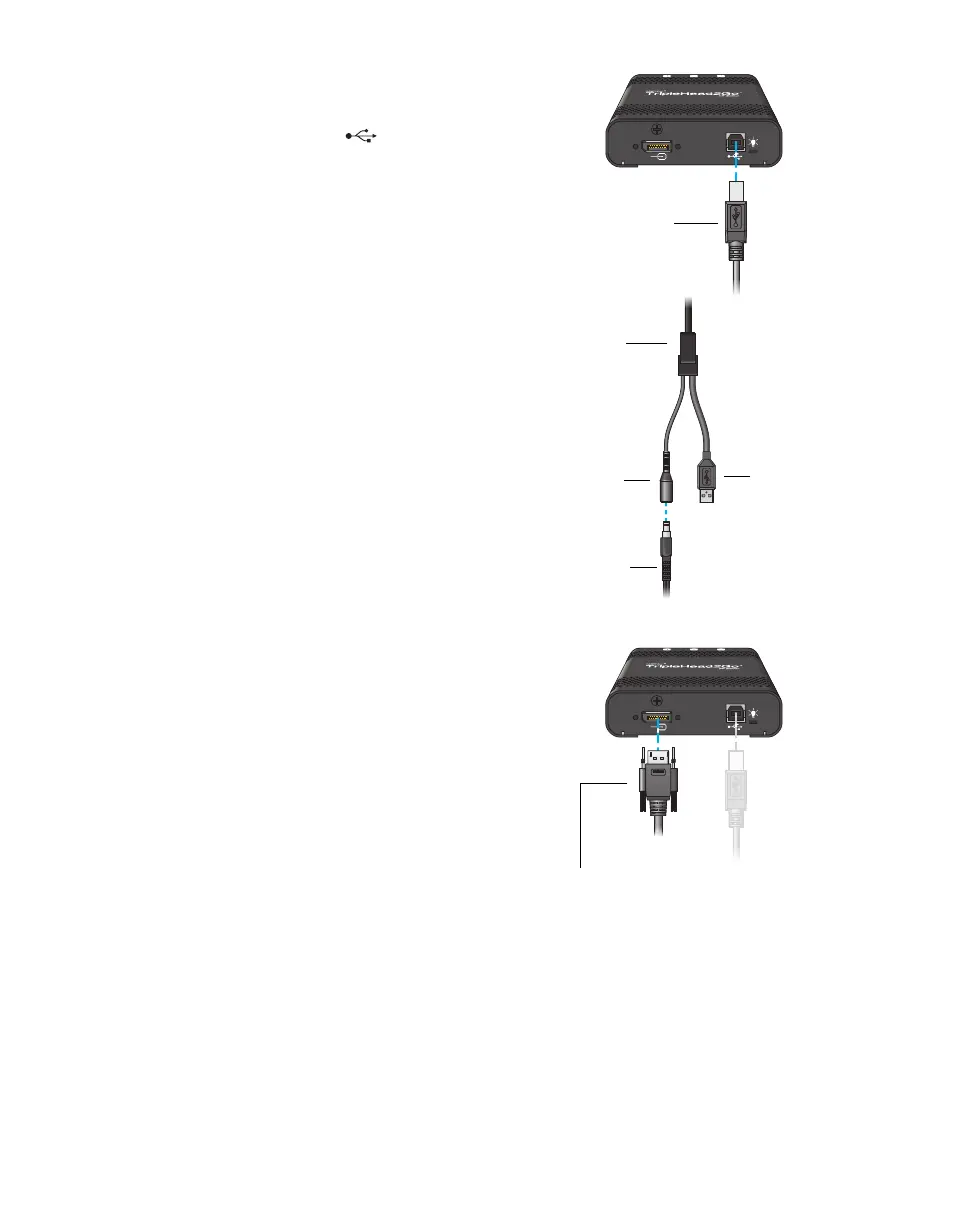
Connect the Power/USB cable
Plug one end of the Power/USB cable into
the USB connector ( ) on your Matrox
product.
Plug the USB connector into a USB port on
your computer.
Plug the power supply connector of the
Power/USB cable into the external power
supply.
Finally, plug the power supply cord into an
electrical outlet.
3
Attach the Matrox input cable
Attach one end of the input cable either to a
second connector on your graphics card or
to a connector on a second graphics card
installed in your system.
Attach the other end of the cable to the input
connector on your second DualHead2Go
product.
Power/USB
cable
Power supply
connector
USB
connector
External
power supply
Matrox input cable
(DisplayPort to DisplayPort)



 To Next Page