EasyManua.ls Logo

MATSONIC MS7112C - I;O Ports Side View; Preparing the Mainboard

MATSONIC MS7112C
51 pages
Print Icon
To Next Page IconTo Next Page
To Previous Page IconTo Previous Page
Loading...
9
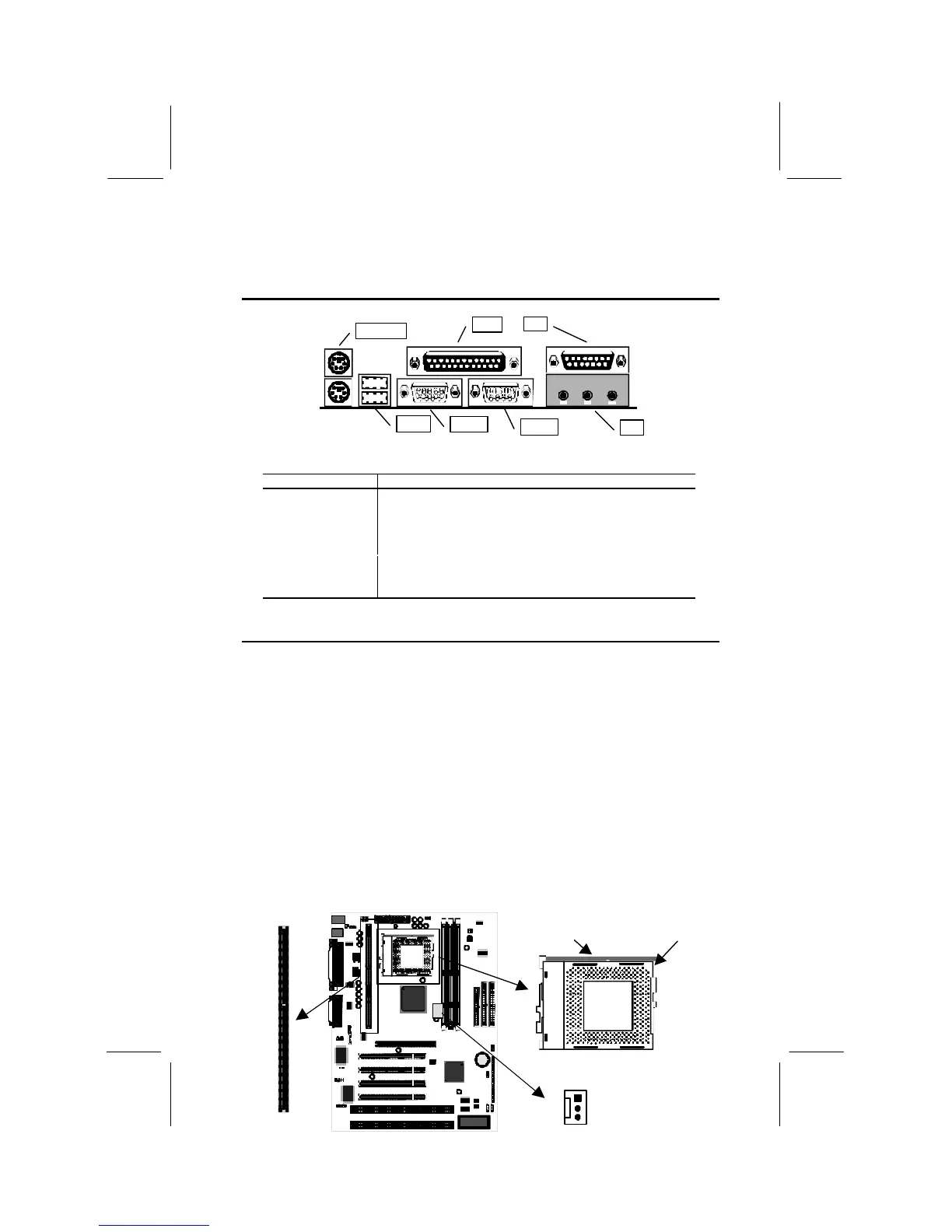
I/O Ports Side View
KBMPS2
USB1
COM1
COM2
LPT1
Key to I/O Ports
Component
Description
KBMPS2
PS/2 port for pointing device (upper port)
PS/2 port for keyboard (lower port)
LPT1
External parallel port
JS1 (Upper)
External game/MIDI port
JS1 (Lower)
Audio jacks for (left to right) line out, line in, microphone
COM2
External monitor port
COM1
External serial port 1/3
USB1
Two stacked Universal Serial Bus ports
Preparing the Mainboard
Prepare the main board by carrying out the following steps;
Install the processor
Install the memory module(s)
Check the jumper settings
Install the Processor
This board has a Slot1 for a processor cartridge and a socket-370 for a
PPGA Celeron processor. You can install one processor cartridge or one
PPGA Celeron. You cannot install both a slot-1 cartridge and a PPGA
Celeron.
Locate SLOT1, Socket-370 and CPUFAN1

SLOT1
Pin-1 corner
Locking lever
Socket-370
CPUFAN1

Related product manuals