4
Ensure that all windows and doors
are closed to obtain the maximum
dehumidifying and cooling effect.
COOL Mode
1. Press the MODE key to
select COOL mode.
2. Press TEMP. key to select a
suitable temperature,
(between 16 C-30 C)
3. Press FAN key to select
between HIGH/MID/LOW speed.
AUTO Mode
Press the MODE key to select
AUTO mode. The air conditioner
will automatically select
between COOL/DRY to ensure
a constant temperature.
The following MODES are
available on your air conditioner:
1. COOL Mode.
2. DRY Mode.
3. FAN Mode.
4. AUTO Mode.
DRY Mode
Press the MODE key to select
DRY mode. The speed is NOT
adjustable.
CAUTION: When the air
conditioner is used as a
dehumidifier, there is no need
to connect the exhaust duct.
FAN Mode
1. Press MODE key to select
FAN mode.
2. Press FAN SPEED to select
between HIGH/MID/LOW.
o
o
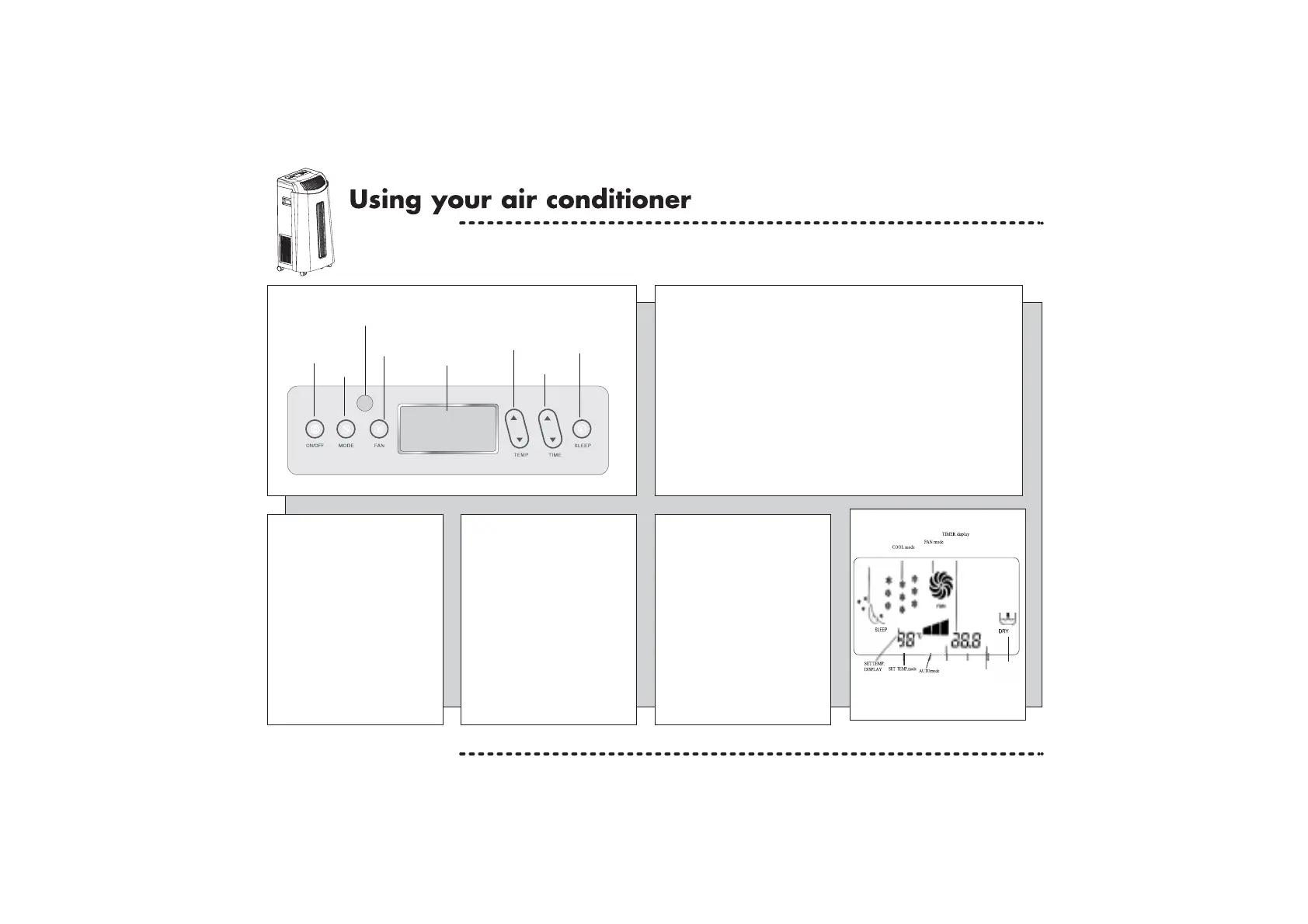
LCD Display
Control Panel
Remote Control Indicator
FAN Speed
MODE
ON/OFF
LCD Screen
Temp. Key
Sleep Key
Time Key
Functions of the Control Panel
1. ON/OFF Key - Press once to start, and press once more to stop.
2. MODE Key - Press this key to change the operation mode:
FAN - COOL - DRY - AUTO.
3. FAN Speed Key - When the unit is running in FAN Mode there are 3
kinds of fan speed to select from: HIGH - MID - LOW.
4. Temp. Key - When the unit is in COOL mode the unit will
display the set temperature. Press the arrow up/down key to increase
or decrease the temperature.
5. Timer Key - Press the arrow up/down button to set the amount of time
you want the unit to stay on for (between 0.5-24 hours).
Press the Sleep Key to activate this function.
Allow this unit to stand for at least 4 hours before using for the first time.
Set Time
FAN Display
ON/OFF
SLEEP mode
DRY mode


 To Next Page