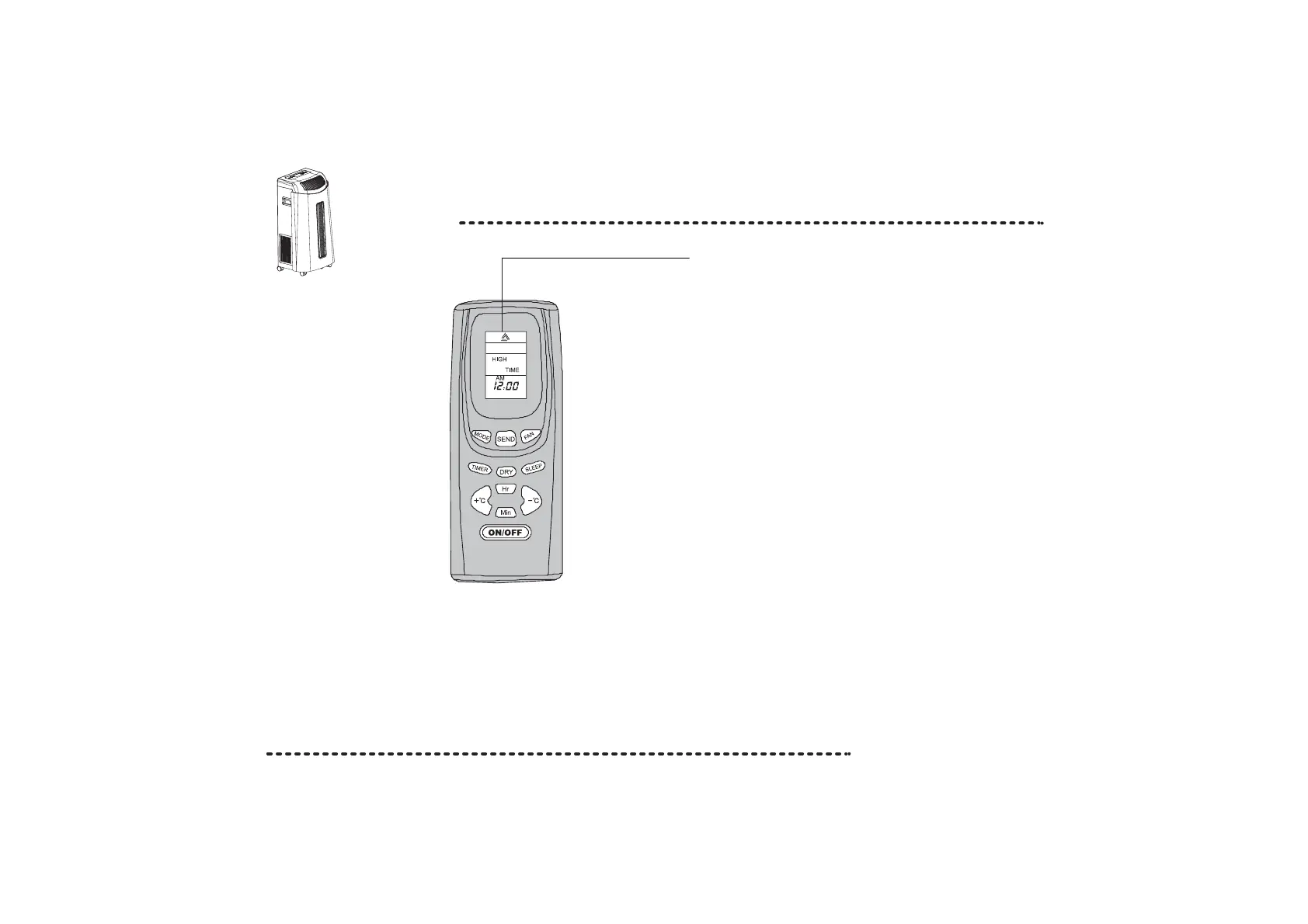
Names and functions of the remote controller
5
LCD Screen
Note: Ensure the remote is aimed at the remote control
sensor on the product.
MODE Key - Press the MODE key to scroll through
the following: COOL/FAN/AUTO.
Please Note: To select DRY mode, use the DRY Key.
SEND Key - Press this key to send the operation.
eg. to choose cooling mode at 16 C. Press the MODE key
until the cool symbol is displayed. Press + C or - C until 16 C
is displayed. Press SEND to send command to the unit.
FAN Key - Press this key to select between HIGH/MID/LOW.
TIMER Key - Press this key to select Time or Timer mode.
Time - Allows you to adjust the clock using the Hr and Min keys.
When you have selected the time use the ON/OFF key to confirm.
Timer - Allows you to set a delay time of the unit switching itself on.
DRY Key - Press this key to set the dehumidifying function.
SLEEP Key - Press this key to set the sleep operation.
TEMP. Keys - Pressing the temperature + and - keys will increase
or decrease the temperature setting buy 1 C (between 16 C-30 C).
Hr/Min Key - Press these keys to increase the hours/minutes in
the Time, Timer and Sleep modes.
ON/OFF Key - Insert the batteries into the remote control.
Press once to start and press once more to stop the unit.
o
oo
o
o
o
o


 To Next Page