En 35
4-5 LCD Setup
Panel Setting
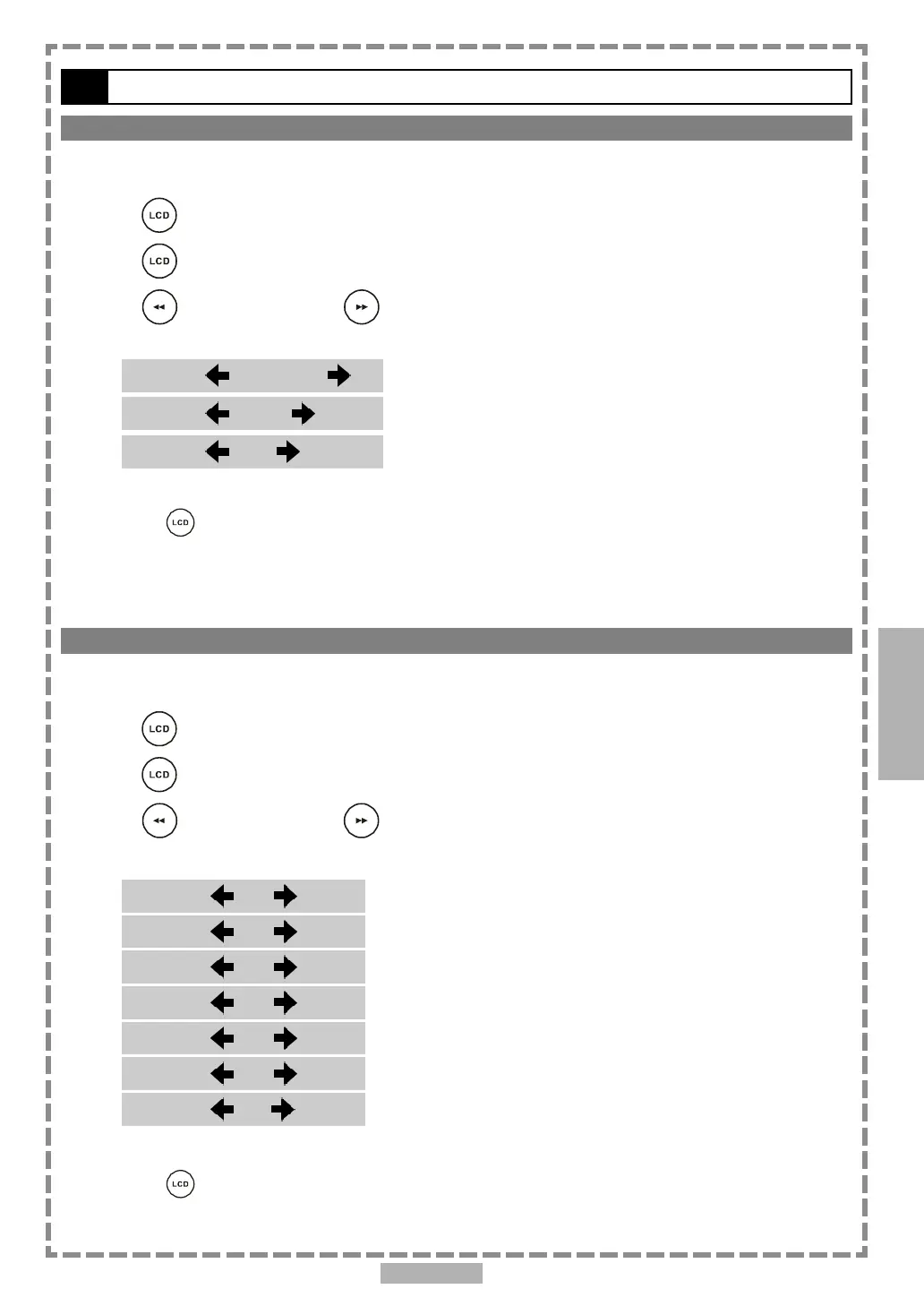
The portable DVD player provides three options for panel adjustment: “Normal”, “16:9” or “4:3”.
1 Press <LCD>, the LCD setting information shows on the screen.
2 Press <LCD> a number of times to select “Panel”.
3 Press <LEFT> button or <RIGHT> button to choose the preferred panel
setting. The panel will change to the selected setting.
*To finish the setup operation
Press <LCD> again until the LCD setting information disappears.
4
Color Setting
You can adjust the picture colour with this setting.
1 Press <LCD>, the LCD setting information shows on the screen.
2 Press <LCD> a number of times to select “Color”.
3 Press <LEFT> button or <RIGHT> button to choose the preferred color
setting. The panel will change to the selected setting.
*To finish the setup operation
Press <LCD> again until the LCD setting information disappears.
PP
PP
P
anel:anel:
anel:anel:
anel:
Nor Nor
Nor Nor
Nor
malmal
malmal
mal
Panel: 16:9Panel: 16:9
Panel: 16:9Panel: 16:9
Panel: 16:9
Panel: 4:3Panel: 4:3
Panel: 4:3Panel: 4:3
Panel: 4:3
ColorColor
ColorColor
Color
::
::
:
+3 +3
+3 +3
+3
ColorColor
ColorColor
Color
::
::
:
+2 +2
+2 +2
+2
ColorColor
ColorColor
Color
::
::
:
+1 +1
+1 +1
+1
ColorColor
ColorColor
Color
::
::
:
0 0
0 0
0
ColorColor
ColorColor
Color
::
::
:
-1 -1
-1 -1
-1
ColorColor
ColorColor
Color
::
::
:
-2 -2
-2 -2
-2
ColorColor
ColorColor
Color
::
::
:
-3 -3
-3 -3
-3
Setup


 To Next Page