Advanced features
Help & specification
Recording Basic VCR features
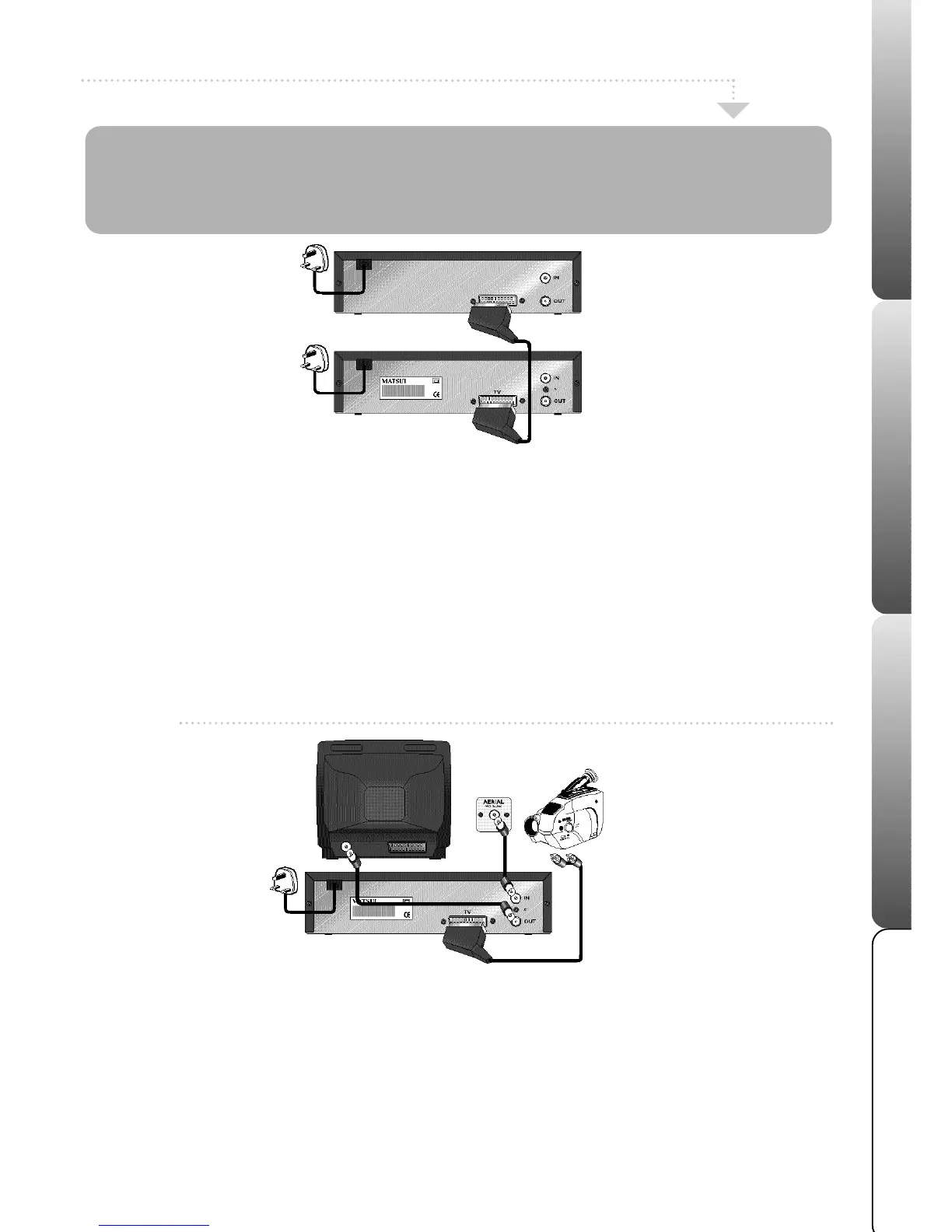
Connecting your VCR to Another VCR
If you connect your VCR to another VCR or Video camera it is possible to duplicate a pre-
recorded tape. Please note that the picture quality will not be as good as that on the
original tape. Make sure all appliances are unplugged from the mains supply and switched
off before you attempt to connect the relevant connection cable.
Connecting your VCR to a Camcorder
How to connect your VCR to a video camera
11
11
If you connect your camcorder, you can duplicate a previously recorded tape.
22
22 Make sure all connections are made before turning the power on. Insert the tape you wish to record ‘ON’ into your VCR.
33
33 Press the AV button to select the AV channel.
44
44 Insert the tape you wish to record ‘FROM’ into the video camera.
55
55
Press the REC/OTR button on your VCR.
66
66 Press the play button, on the video camera; playback and recording will start.
How to connect your VCR to another VCR
11
11
Link the two VCR's with a SCART cable (not supplied).
22
22
Insert the tape you wish to record ‘ON’ into your VCR.
33
33
Insert the tape you wish to record ‘FROM’ into the second VCR. Press the play button on the second VCR.
44
44
Press the REC/OTR button on your VCR.
55
55
Recording will start.
13
It is an infringement of the Copyright, Designs and Patents Act 1956, 1988 chapter 48 and the Performers Protection Act 1958-72 to copy Records, Pre-recorded Cassettes,
Pre-recorded video tapes and compact discs or to re-record them in any form without permission of the Copyright owners.



 To Next Page