Your VCR can playback
video tapes recorded using
the NTSC colour system (TV
system usually used in USA
and Japan) on a PAL I TV (TV
system used in the UK).
Play an NTSC tape as you
would a normal VHS tape.
Your VCR will playback NTSC
tapes recorded using
Standard play (SP), Long
play (LP) and Extended play
(EP). However, there will be a
deterioration in sound quality
in the LP and EP modes.
If your TV supports the NTSC
system, the picture from your
VCR will fill the whole screen,
if not, the picture will have a
black band at the top and
bottom of the screen.
Please note that there will be
no sound during PAUSE.
1
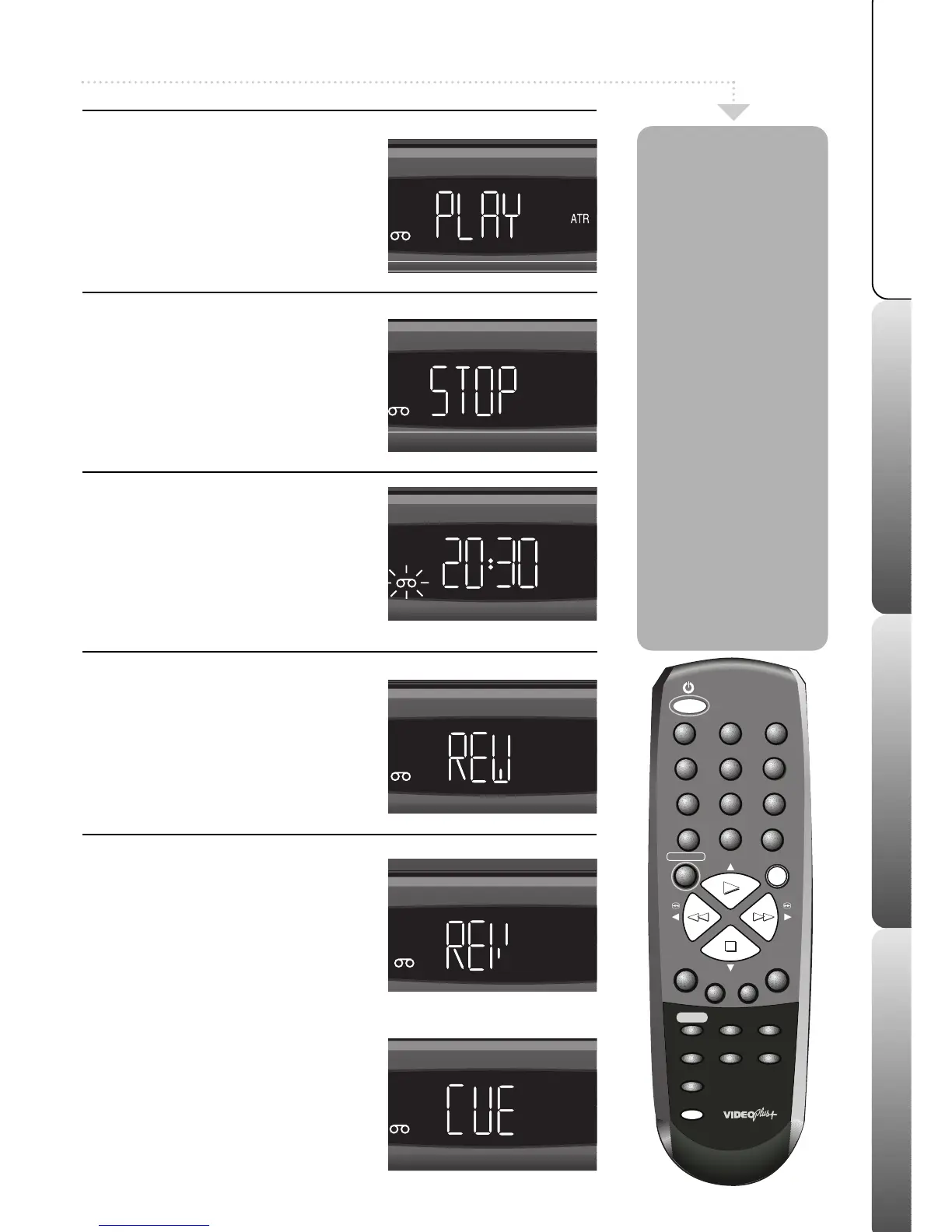
Playing a tape
Press the VCR ON button to switch your
VCR on. Insert a tape. If you insert a pre-
recorded video tape with the tab removed
(for example a rented or bought film) your
VCR will start to play automatically. If
playback doesn’t start press PLAY.
2
Stop or pause a tape
Press the STOP button to stop the tape.
Press the PAUSE button while the tape is
playing to pause the tape. Press the PLAY
button to resume playback.
3
Ejecting a tape
Press the STOP button to stop the tape.
Press the EJECT button. The tape will be
ejected from the VCR.
4
Rewind and Fast Forward
To rapidly wind the tape backwards or
forwards, press the REW or F.FWD buttons
when a VCR tape is NOT playing.
‘REW’ or ‘FF’ will appear in the VCR display.
5
Picture search
To rewind or fast forward the tape with the
tape’s picture on your TV screen (picture
search) press PLAY then either REW or
F.FWD.
‘REVEW’ or ‘CUE’ will appear in the
VCR display.
The speed of the search time depends on
the speed used during recording, either
standard play (SP) or long play (LP).
Standard Play (SP)
1st press . . . . . . 5 times normal speed
2nd press . . . . . 7 times normal speed
(NTSC times are slower)
Long Play (LP)
1st press . . . . . .7 times normal speed
2nd press . . . . .13 times normal speed
Press PLAY to return to normal playback.



 To Next Page