Advanced features
Help & specification
Recording Basic VCR features
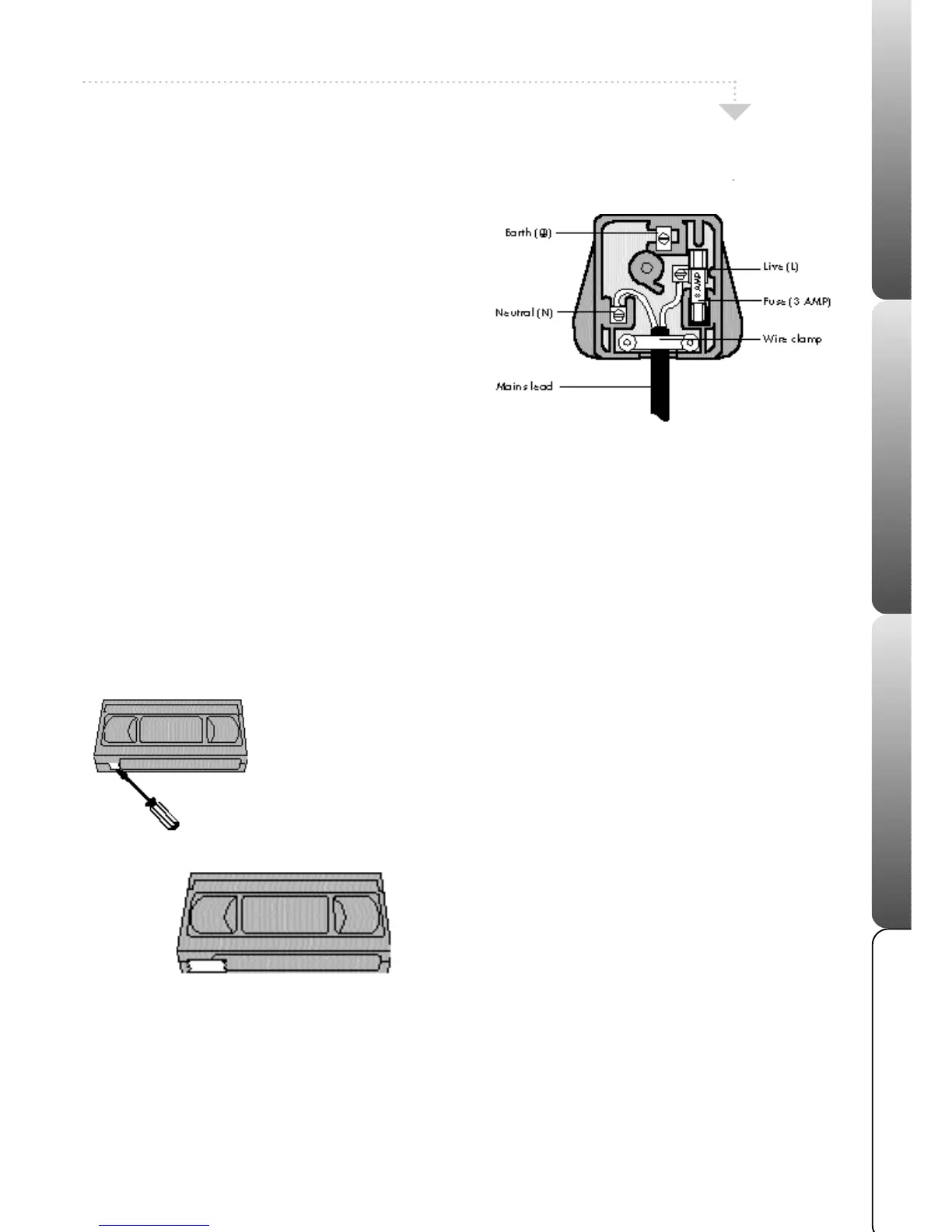
Wiring Instructions
Record Protection Tab
Record Protection Tab
When you insert a video cassette with the record protection tab removed
(for example a pre-recorded tape from a video hire shop) playback will
start straight away.
Video Head Cleaning
The video heads are the means by which the VCR reads pictures from the
tape during playback. In the unlikely event that they become dirty enough
to be clogged, no picture will be played back. This can easily be
determined if, during playback of a known good tape, there is good
sound but no picture (picture is extremely snowy). Manual cleaning may
still be necessary in some cases, if this is the case, have the VCR checked
and cleaned by qualified Mastercare personnel. Head cleaning
cartridges are not recommended because they can be abrasive to your
video heads. To help prevent video head clogging, use only good quality
VHS tapes. Discard worn out tapes.
To prevent accidental
erasure of a
recording, break off
the record protection
tab with a
screwdriver.
If you need to
record onto a
tape on which
the tab has
been removed
from, cover the
hole with a
small piece of
adhesive tape.
Warning: If the mains plug is cut from the mains lead of this appliance the plug must be destroyed. A mains plug with bared
wires is hazardous if engaged in a mains output socket.
The wires in your VCR mains lead are coloured in accordance with
the following:-
The wire which is coloured Blue must be connected to the terminal in
the plug which is marked with the letter N or coloured Black.
The wire which is coloured Brown must be connected to the terminal
in the plug which is marked with the letter L or coloured Red.
No connection must be made to the earth terminal of the plug.
You must use a 13 amp plug (BS 1363), and fit a 3 amp fuse (BS
1362).
If any other type of plug is used a 3 amp fuse must be fitted, either in
the plug, adaptor or at the distribution board.
15



 To Next Page