1
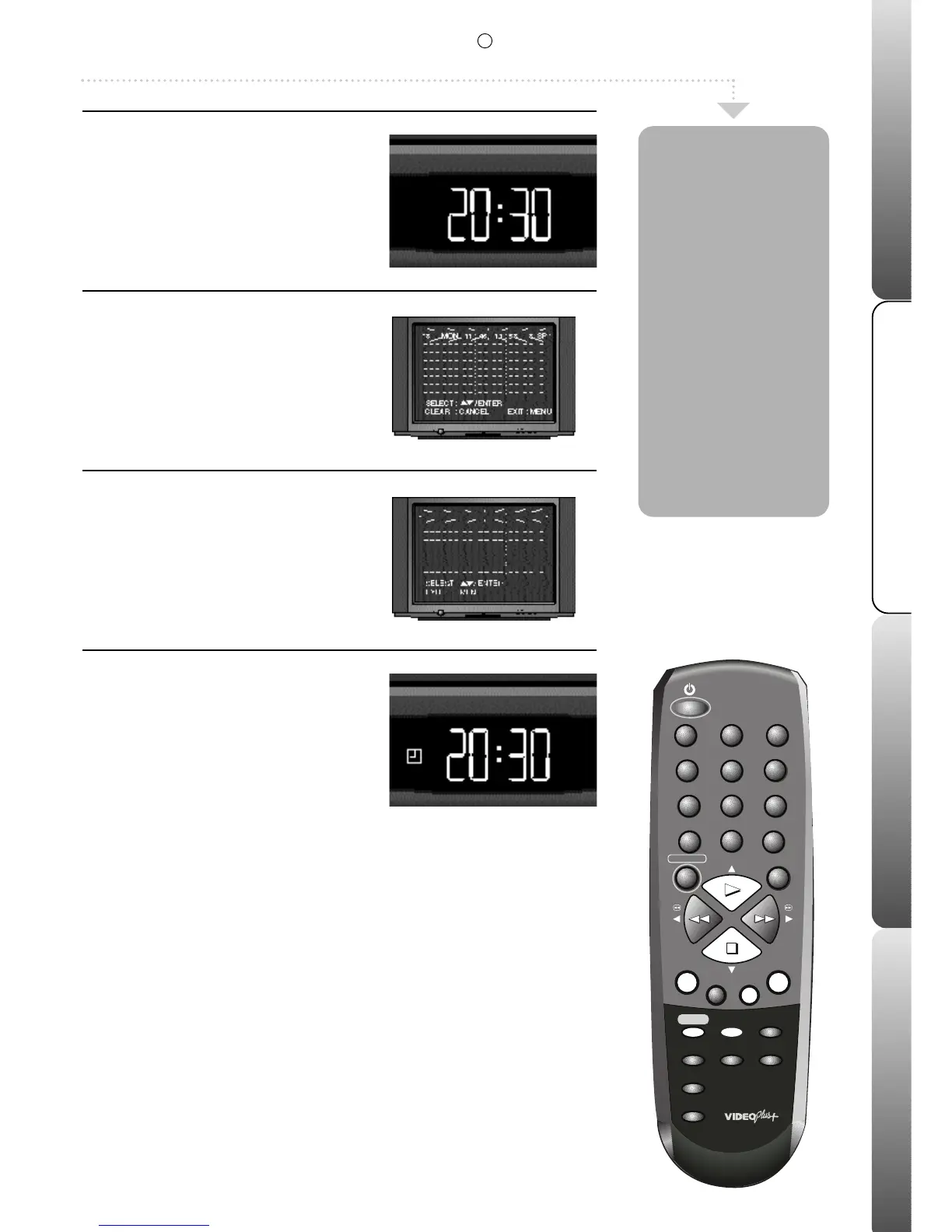
Cancel Timer Set
If your VCR is in timer record mode press
the TIMER REC button to switch on your
VCR.
The timer set symbol will go out.
Press the VIDEO PLUS+/PROGRAM
button twice.
The timer event menu will appear.
2
Select a recording
Press PLAY or STOP to highlight the
recording that you wish to amend or
cancel.
3
Cancel/Check a recording
To cancel the recording press CANCEL; the timer
recording details will be deleted.
If you only want to check the details of a timer
recording repeatedly press the MENU button to
clear the screen. If you wish to amend a timer
recording, press the ENTER button.
See page 6
for details on setting the timer recording
.
4
Reset Timer Set
Press TIMER REC to put your VCR back
into timer record mode if there are any
more recording to be made. If you do not,
the recordings will not take place.
You can easily
check the details
of a VIDEO Plus+
recording or timer
recording before it
takes place. After
a recording has
been made it will
automatically be
removed from the
timer event menu.
You can cancel
VIDEO Plus+
recordings or
timer recordings
before they take
place.
7
Recordings
& Timer Recordings
R
This feature is only available on certain models.



 To Next Page