12
WHAT IS PUMPGUARD™ (SWITCH BOX TIMER+PG ONLY)
Pumpguard
TM
is patent pending, smart technology that helps to avoid possible disasters
occurring when your pump blocks or overloads.
Line 1 on every Matsuko Switch Box Timer + PG is set to automatically learn how the new
pump behaves when it is first connected and turned on through the timer.
The PumpGuard
TM
will run the pump at different power levels for a twenty minute period until
it understands its normal operation. Once the learning process is over PumpGuard
TM
goes into
monitoring mode. PumpGuard
TM
will monitor the pump all day everyday looking out for signs
of overloading or cutting out.
A pump that constantly keeps restarting can easily burn itself out. PumpGuard
TM
detects this
situation and will run the pump on a lower intensity programme to see if this will correct the
problem. If a solution cannot be found, PumpGuard
TM
will disconnect the power and save
your pump from damaging itself further. In this situation PumpGuard
TM
sounds a stop alarm
(the signal for a pump failure alarm is a fast beeping sound plus a red LED on line one) and
the display shows “pump fail“.
POWER CONSUMPTION MONITOR (SWITCH BOX TIMER+PG ONLY)
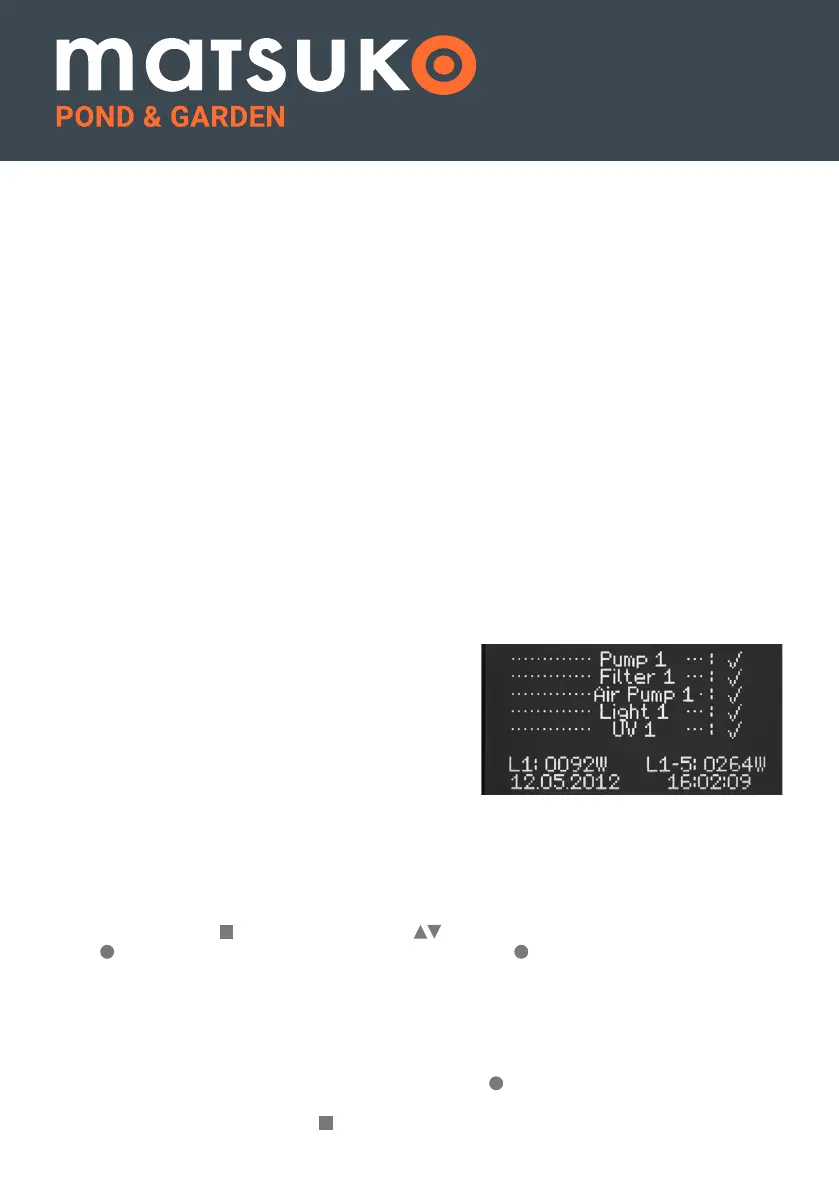
The digital display on the screen gives two electrical
consumption readings. The Switch Box Timer +
PG gives a constant reading on line 1. The second
reading on the screen shows a total consumption
of all the lines been used by all the devices on the
switch box through lines 1 – 5.
To get a reading for an individual simply switch off
every line you do not want to monitor. The
consumption monitor gives an indicative reading
with an accuracy of +/-5%.
CLEARING A FAULT FROM THE PUMPGUARD
TM
If you wish to clear the PumpGuard
TM
once the unit has sent the warning that there has been
a failure press Menu , using the Arrow Keys scroll down to the PumpGuard
TM
and press
Enter , this will open the PumpGuard
TM
menu, press Enter while the arrow is illuminated
next to “Clear”, this will clear the fault.
ADDING A NEW PUMP
If you want to add a new pump to the PumpGuard
TM
so it can learn its normal function,
open the PumpGuard
TM
menu as above and use the arrow keys to move the cursor over to
illuminate the arrow next to new pump, now press Enter , when pressed the text will show
(current deleted) and will start to run the new pump to learn its behaviour, this will take roughly
twenty minutes. Now press Menu to return to the main menu.
PUMPGUARD
TM
L1: Shows power consumption on line 1.
L1–5: Shows total power consumptions of all lines.


 To Next Page
 Loading...