
 Need help?
Do you have a question about the Maven RF Series and is the answer not in the manual?
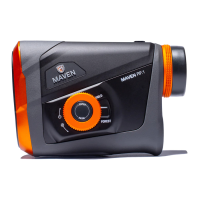
Identifies key controls for operation and mode selection on the rangefinder.
Describes the components related to viewing and focusing the device.
Details the laser apertures and attachment points on the rangefinder.
Indicates the location for the battery.
Instructions for battery installation, powering on, and initial readiness.
Guide on how to use the laser for distance measurement and achieving a sharp image.
How to adjust the eyecup for comfortable viewing with or without glasses.
Step-by-step guide for changing the device's battery.
Symbols indicating angle compensation and line of sight modes on the display.
Information on the display of angular measurements and the aiming reticle.
Displays for units, modes, battery life, and distance readings.
How to change the screen brightness using the Menu Dial.
Instructions for switching between Line of Sight and Angle Compensated modes.
Information on the display of angular measurements in Line of Sight mode.
Guide to select from available reticle options for aiming.
How to switch between yards and meters for distance readings.
Explanation of the lever for selecting target acquisition settings.
Understanding the scan feature and battery life display.
Tips on how object characteristics affect ranging performance.
How weather and surfaces impact ranging accuracy.
Solutions for when the rangefinder fails to display a distance.
Instructions for cleaning the lenses and body of the device.
Guidelines for storing the rangefinder when not in use.
Statement regarding FCC interference limits and operation conditions.
Details on potential interference and corrective measures.
Information on authorized repairs and consequences of unauthorized modifications.
Guidelines for proper disposal of the device in EU and other regions.
Essential safety guidelines for using the laser rangefinder.
Information on the device's compliance with FDA laser safety standards.
Warning about performing procedures not specified in the manual.
Details about the lifetime warranty and how to contact for service.
Instructions for registering the product for warranty processing.
 General
| Brand | Maven |
|---|---|
| Model | RF Series |
| Category | Measuring Instruments |
| Language | English |

 To Next Page