GETTING STARTED:
Your RF.1 rangefinder comes with a battery already installed.
Before using:
1. Open the battery cap by lifting the battery door tab and
twisting the door counter clock-wise.
2. Remove and discard the plastic insert sitting on top of the
battery.
3. The CR2 battery is already in place.
4. Reinstall battery cap and thread on by twisting clockwise.
POWERING UP:
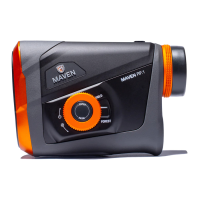
Once the battery is installed and the 4 steps are completed, press and release the
POWER button. The display will light up to show the unit is on and ready for ranging.
The laser will power down automatically after 10 seconds of non-use.
FIRING THE LASER:
To fire the laser, simply look through the ocular lens, press and release the POWER
button once to turn it on, align the reticle over the object you want distance to, and
press again to fire. Within the display is a “Firing Indicator” letting you know the laser
is firing. At extended distances holding FIRE button might be required.
FOCUS:
Adjust the diopter focus until the image is sharp.


 To Next Page