8 max mobility
®
To charge the drive unit, plug the battery charger cable into a wall outlet, at which point the green LED on the charger box
will illuminate. Connect the magnetic charger connector to the powered o drive unit magnetic receptacle [moving the rub-
ber plug to the side]. e magnets in the connectors will only allow the plug to connect in one direction. Once the unit is
connected and charging, the LED on the charger will turn red. When the LED on the charger turns back to green, the drive
unit is fully charged. Remove the connector from the drive unit and replace the rubber cap to protect the receptacle on the
drive unit. e estimated charge time for a full recharge of the drive unit battery is approximately 3 hours.
Wristband Battery Charging
Plug the provided wall adapter into a wall outlet and plug the USB cable [standard USB type A] plug into the wall adapter
[this can also be done prior to plugging into the wall]. en plug the USB connector [standard USB type micro-B] into the
small port on the side of the wristband module making sure the it is powered o. e LED indicator light on the wristband
will be red while the unit is charging, and will turn green once the battery is fully charged. e wristband can be charged us-
ing any standard USB [type A] port found on a computer, car charger with USB plug, etc. and any type A to micro-B cable.
e estimated charge time for a full recharge of the wristband battery is approximately 2.5 hours.
4. Batteries
Although the battery in the SmartDrive drive unit is very small and compact, it can store a large amount of power.
Faulty handling or storage can damage the equipment, and in some cases result in shocking, burns, or re.
Battery Information
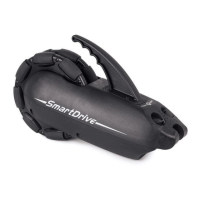
e drive unit houses the rechargeable Lithium Iron Phosphate battery used to power the SmartDrive motor. e newest in
Lithium-Ion technology, these batteries oer a signicantly longer cycle life and faster charging rate than standard lithium
ion cells.
e blue LEDs on top of the drive unit are used to indicate the battery charge level. All four (4) LEDs being illuminated
indicate a full battery. As the charge of the battery decreases, so does the number of LEDs being lit. e drive unit will give
a beep whenever the battery is below 20% and the power assist is activated to let you know charging of the battery should be
done as soon as possible to avoid running completely out.
Low wristband battery is indicated by the LED on the wristband ashing blue then red every (1.5) seconds when on. Again,
charging of this battery should be done as soon as possible to avoid running completely out.
It is encouraged to charge each battery every night to avoid running out of charge during daily use. e life of the battery will
not be deteriorated by charging when it is partially drained.
Make sure the charging receptacles are completely dry and free from debris [as the magnets can attract some] before plugging
in the charger, for this can cause a spark or short. Blow water out of the receptacle if you suspect there being water in it. It is
also recommended to always cover the button/charger receptacle whenever either are not plugged into the drive unit.
Long-term storage of the batteries [more than 3 months] reduces its capacity through spontaneous discharge. Charge the
battery to at least 30% before you store it long-term, and avoid storing the unit where the temperature is too high or with
high humidity.
Drive Unit Battery Charging
Only use the provided charger to recharge the drive unit of the SmartDrive. Other chargers may damage your unit,
or cause a re. Also, always power o and never attempt to use the drive unit while charging.
e battery charger is to be used indoors and in dry locations. Use an easily accessible outlet that is close to drive unit that
is to be charged.
Do not use or attempt to repair a damaged/defective charger. Contact Max Mobility if a charger is damaged and do not
dispose of in your household garbage.
e charging transformer box is intended to be laid at during charging.
Only use the power supply cord provided with the charger. e charger is capable of operating at dierent voltages with-
out adjustment.


 To Next Page