24 93
t
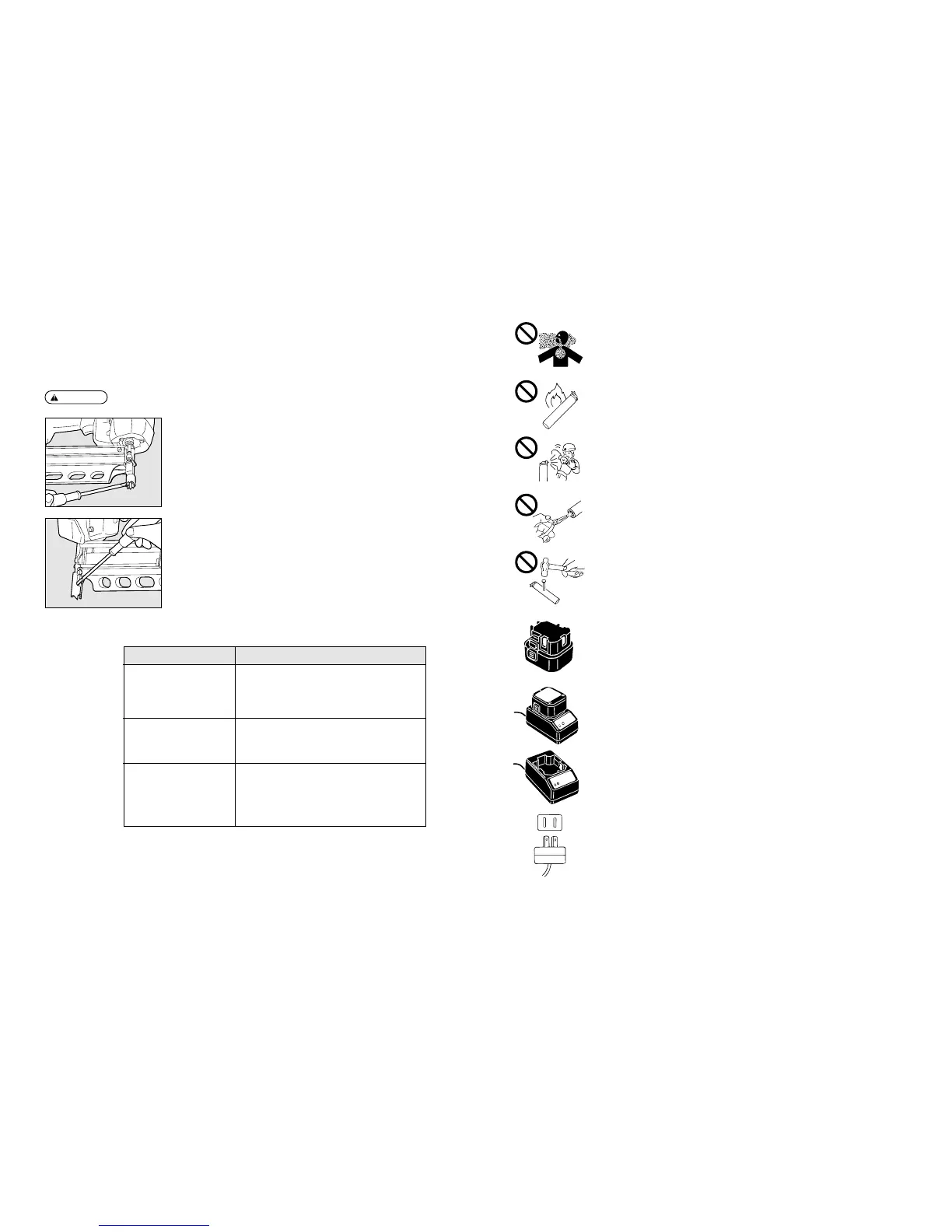
No respirar el gas.
y
No incinerar o reutilizar la célula de combustible vacía.
u
Nunca ventear el gas en dirección de una persona.
i
No retirar la toma de goma del fondo de la célula de combustible, excepto en caso de
puesta al rechazo.
o
No hacer un agujero en la célula de combustible.
5. PRECAUCIONES PARA EL MÉTODO DE CARGA, EL CARGABATERÍA Y LA BATERÍA
q
Asegurarse de utilizar correctamente MAX JP606H.
Asegurarse de utilizar MAX JP606H para la herramienta. Nunca conectar la herramienta a una
fuente de alimentación o cualquier otra batería recargable, pilas secas o acumulador para
automóviles. Si no se observa esta precaución, hay riesgo de causar una ruptura, un problema,
la generación de calor o una combustión. (Véase Página 99 para MAX JP606H).
w
Asegurarse de cargar correctamente con MAX JC610M.
Asegurarse de cargar la batería con MAX JC610M.
Si se carga usando otro tipo de cargabatería, no podría cargar correctamente y también corre el
riesgo de romperse, causar un incendio o producir calor. (Véase Página 99 para MAX JC610M).
e
Cargar la batería antes de utilizarla.
La nueva batería o la que no se utilizó por un largo período de tiempo podría no cargarse
enteramente debido a una autodescarga. Asegurarse de cargarla con MAX JC610M.
r
Cargar la batería a la tensión indicada.
Asegurarse de cargar, utilizando la toma de 100~240 V de c.d. (para uso doméstico). Nunca
cargar a otra tensión que aquélla indicada. Si no se observa esta precaución, hay riesgo de
causar una combustión o una generación de calor.
9. TROUBLE SHOOTING/REPAIRS
q
The repairs shall be carried out only by the MAX authorised dealers.
w
Removing Jammed Nail
WARNING:
●
Remove the Fuel Cell and Battery.
e
Procedure
q
Take out the nails from the inside of the Magazine.
w
Remove nails that are jammed inside the Nose by using a punch or slotted screw
driver.
Phenomenon Check Item
The Battery cannot be charged.
・
The AC adapter’s power plug is firmly connected to the
plug socket.
・
The AC adapter’s jack is firmly inserted into the charger.
・
The Battery is properly set in the charger.
・
The charger’s LED is turned on.
While charging, the charger, AC
adapter and power cord are
heated, emit abnormal sound or
generate the heat.
・
Stop using them immediately and consult your nearest
dealer.
The nails cannot be driven.
・
The tool body is properly loaded with the nails, Battery and
Fuel Cell.
・
The Fuel Cell is not empty.
・
The battery capacity is still remaining.
・
The nails are not jamming.
・
The Contact Arm is properly pressed against the object.


 To Next Page