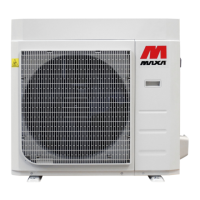
Hydronic Highwall
36 Controller
Query page description
1) The LCD displays the query page, and the air conditioner with the address of 08 is being queried.
Mode of the air conditioner with the address 01 is: Cooling, strong air, swing on, indoor temperature
22°C, set temperature 20°C, cooling mode “lock”.
2) In the matrix, only the big and small black dots at (00, 00+) and (01, 00+) are luminous. It indicates the
in-service and power-on status of the air conditioners with the addresses of 00 and 01.
3) The centralized controller communicates with the computer normally.
Setting page description
1) The LCD displays the setting page, and queries the air conditioner with the address of 08. The mode of
the air conditioner with the address 08 is: Cooling, strong air, swing on, indoor temperature 28°C, set
temperature 22°C, cooling.
2) In the matrix, only the big black dots from (08, 00+) to (16, 00+) are luminous. It indicates the air
conditioners with the addresses from 08 to 16 are in service.
3) The centralized controller communicates with the computer normally.
Fault page display description
1) Query the air conditioner with the address of 08 in the query page. The air conditioner with the address
of 08 is faulty, and the fault code is 08. The big black dot below (08, 0+) blinks.
2) In the matrix, only the big and small black dots from (00, 00+) to (16, 15+) illuminate. It indicates the in-
service status of the air conditioners with the addresses of 00 and 01.
3) The centralized controller communicates with the computer normally.


 To Next Page