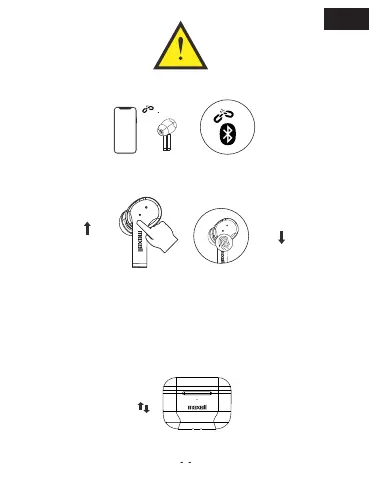
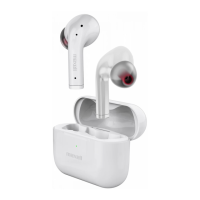
Step 1, disconnected both buds with phone or other Bluetooth devices.
Step 2, Manually POWER OFF the earbuds (Long press L and R earbuds
for 10 seconds until RED indicators flash 3 times and Power OFF)
Step 3, After Manual Powered OFF, LONG PRESS both earbuds for 10
seconds until RED & WHITE indicators flash 3 times, which means RESET
successfully.
*After Resetting, delete the paired “MAXELL TWS-ANC1” from your devices and re-pairing it.
Reset
Step 4, Put both earbuds back into charge case over 5 seconds and take
out, both earbuds are ready to Use on AUTO ON & AUTO Pairing
EN


 To Next Page