EasyManua.ls Logo

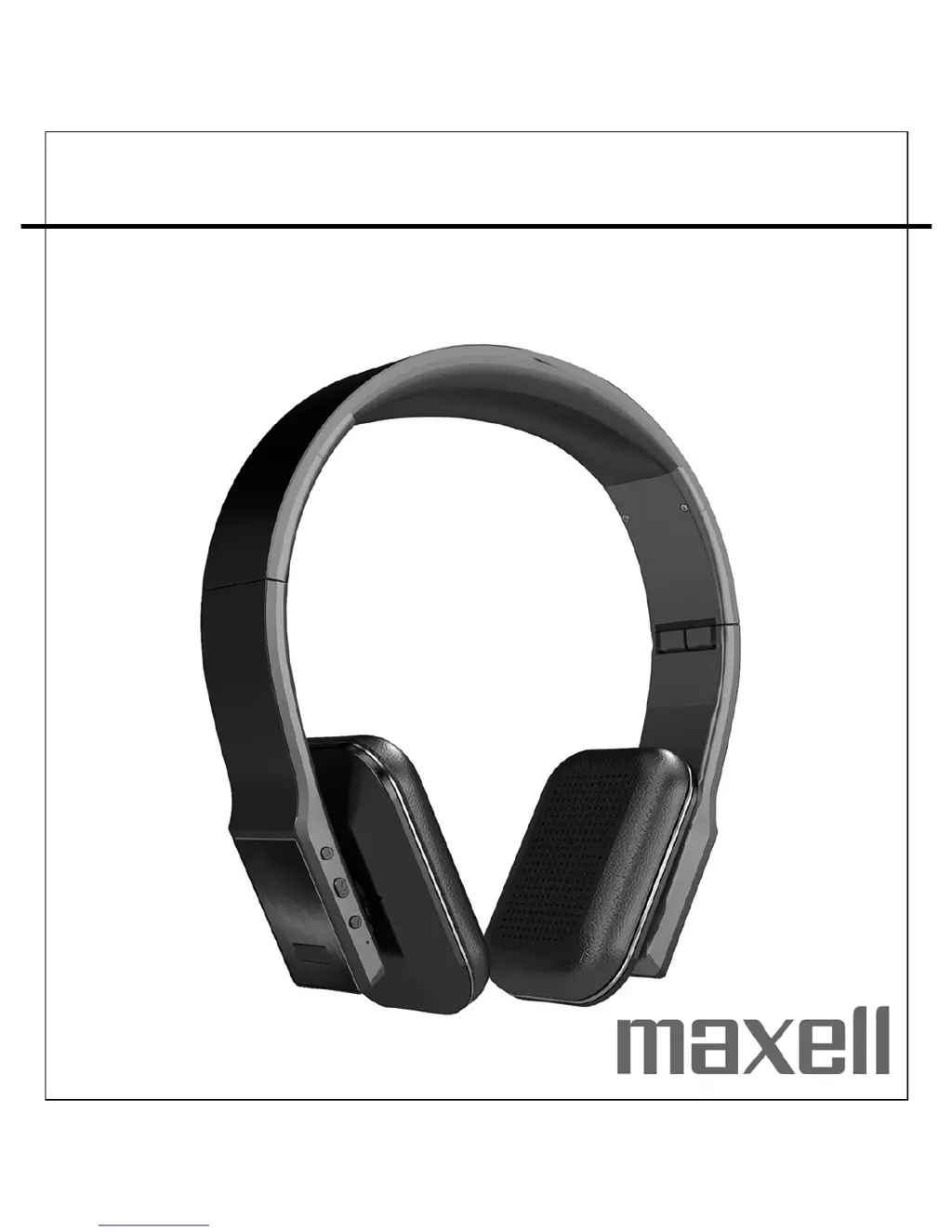
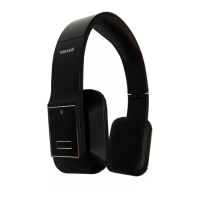
Maxell MXH-BT600E - User Manual

Maxell MXH-BT600E
10 pages
Print Icon
To Next Page IconTo Next Page
Loading...
Users Manual
MXH-BT600E
BLUETOOTH WIRELESS HEADPHONE

Other manuals for Maxell MXH-BT600E

Questions and Answers

  • M
    Michael WilliamsAug 10, 2025
    Why is there no sound coming from my Maxell MXH-BT600E?
    • S
      Stephanie SandovalAug 10, 2025
      If you are experiencing a lack of sound from your Maxell Headphone, consider these potential causes: * The battery may be dead, so recharge it. * The Headphone might not be properly linked to your mobile phone. In this case, go through the 'Headphone Operations' process to establish the connection. * The Headphone could be out of range. Ensure it's within the Bluetooth operating range (30 feet). * The volume might be set too low, so increase the volume on your device.
  • B
    Brooke HayesAug 16, 2025
    How to fix Maxell Headphone when it is not charging?
    • C
      Christina HallAug 16, 2025
      If your Maxell Headphone isn't charging, it could be due to a few reasons. First, make sure the USB power adapter is correctly plugged into a functioning wall outlet and that the USB cable is properly connected to the micro USB jack on the bottom of the device. If the wall outlet isn't working, test it with another device. Also, if you're using a computer USB port, ensure the computer is powered on and try a different USB port.
  • C
    Carol MooreAug 22, 2025
    What to do if my Maxell Headphone sound is distorted?
    • P
      perezericaAug 22, 2025
      If the sound from your Maxell Headphone is distorted, the volume level might be set too high, so decrease the volume of your device. Also, the sound source itself may be distorted. If the source sound file is of poor quality, distortion and noise are easily noticed with high-power headphones. Try a different audio source such as a music CD.
  • S
    Steven CarterAug 27, 2025
    Why can't I control play/pause on my Maxell MXH-BT600E?
    • S
      Savannah KimAug 27, 2025
      If you cannot control play/pause, previous/next on your Maxell Headphone, it is possible that your Bluetooth device does not support AVRCP (Audio/Video Remote Control Profile). Use other supported devices. If ACRCP is supported, try to reset the Headphone and the Bluetooth device.
  • K
    Karen McclainSep 3, 2025
    What to do if Maxell Headphone gets warm?
    • L
      lgreenSep 3, 2025
      If your Maxell Headphone gets warm after extended play at high volume, turn the unit off for a period of time or lower the volume.

Summary

Getting Started

Turing the MXH-BT600 E ON;OFF

Instructions for powering the device on and off, including button presses and indicator feedback.

Pairing the MXH-BT600 E

Steps to pair the headset with a Bluetooth-enabled cell phone, including mode activation and connection.

Headphone Operations with Bluetooth Mobile Phones

Managing Calls and Music Playback

Guides on answering, ending, rejecting calls, adjusting volume, redialing, voice dialing, and call transfer.

Headphone Operations with Other Bluetooth Devices

Connecting to Non-Phone Devices

Instructions for pairing with non-phone Bluetooth devices, including PIN usage and connection status.

Voice Call Functionality

Details on activating and using the voice recognition feature for making calls via the headset.

Charging Instructions

Battery Charging and Low-Voltage Alert

Information on low battery indicators, automatic shutdown, and immediate charging procedures.

Charging the Battery for the First Time

Guidance on initial charging duration and indicator lights during the charging process.

Recharging the Internal Battery

Details on recharging the device, including charge time and best practices for battery longevity.

Care and Maintenance

Battery Note and Care

Important safety and recycling guidelines for Li-Polymer batteries.

MXH-BT600 E Note and Care

Precautions for operating the unit in different environments and avoiding physical damage.

Cleaning the Unit

Instructions for safely cleaning the headphone's exterior and plastic parts.

Troubleshooting Guide

Common Issues and Solutions

Addresses common problems like no charging, no sound, distorted sound, and control issues.

Factory Reset and Specifications

Factory Reset Procedure

Steps to perform a factory reset by simultaneously pressing specific buttons.

Product Specifications

Technical details including Bluetooth version, operating distance, battery life, and dimensions.

Contact and Warranty Information

Company Contact and Environmental Policy

Maxell's commitment to environmental responsibility and recycling initiatives.

Maxell Europe 2 Year Warranty

Details of the product warranty, coverage, limitations, and claims process.

Maxell MXH-BT600E Specifications

General IconGeneral
TypeOver-Ear
Driver Diameter40 mm
Frequency Response20 Hz - 20 kHz
Bluetooth Version5.0
Operating Distance10 m
MicrophoneYes
Impedance32 Ohm

Related product manuals