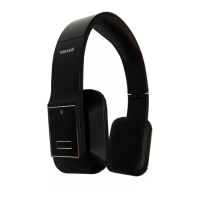
The USB power adaptor
(not included) is not plugged
into a wall outlet or the USB
cable (included) is not
plugged into the micro USB
jack on the bottom of the
MXH-BT600E.
Plug the USB power adaptor (not included)
into a wall outlet and plug the USB cable
(included) into the micro USB jack on the
MXH-BT600E.
Wall outlet is not
functioning.
Plug another device into the same outlet to
confirm the outlet is working.
Computer USB port is not
functioning.
Make sure your computer power is turned on
and try another USB port.
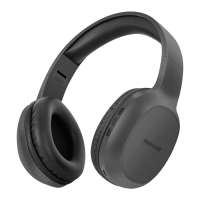
The MXH-BT600E battery is
dead.
Recharge the MXH-BT600E battery.
The MXH-BT600E is not
linked with the mobile
phone.
Go through “Headphone Operations” process
to link the headphone.
The MXH-BT600E
placement is out of range.
Relocate the MXH-BT600E within Bluetooth
operating range (30 feet).
Increase the volume of your device.
Volume level is set too high.
Decrease the volume of your device.
Sound source is distorted.
If the source sound file is of poor quality,
distortion and noise are easily noticed with
high-power headphones. Try a different audio
source such as a music CD.
Cannot Control
Headphone
Play/Pause,
Previous/Next
Bluetooth Device should
support AVRCP
(Audio/Video Remote
Control profile)
Use other supported devices.
If ACRCP is supported, try to reset the
Headphone and the Bluetooth device.
Unit gets warm
after extended
play at high
volume.
Turn the unit off for a period of time or lower
the volume.


 To Next Page