EasyManua.ls Logo

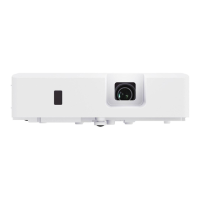
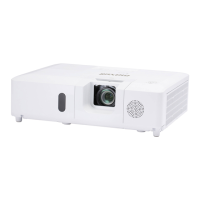
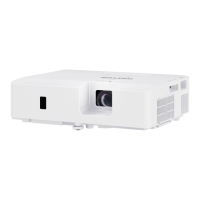
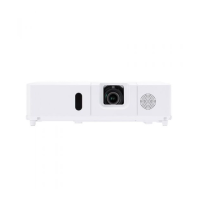
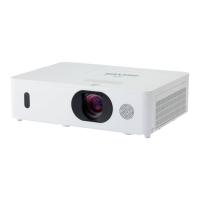
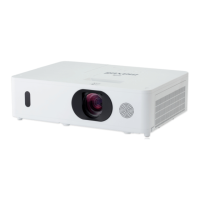
Maxell MC-EX3051 - User Manual

Maxell MC-EX3051
110 pages
Print Icon
To Next Page IconTo Next Page
Loading...
1
QM00091-1
LCD Projector
User's Manual (detailed)
Operating Guide
Thank you for purchasing this projector.
Ź%HIRUHXVLQJWKLVSURGXFWSOHDVHUHDGDOOPDQXDOVIRUWKLV
SURGXFW%HVXUHWRUHDGSafety Guide¿UVW$IWHUUHDGLQJWKHPVWRUHWKHPLQD
VDIHSODFHIRUIXWXUHUHIHUHQFH
WARNING
7KHLQIRUPDWLRQLQWKLVPDQXDOLVVXEMHFWWRFKDQJHZLWKRXWQRWLFH
7KHLOOXVWUDWLRQVLQWKLVPDQXDODUHIRULOOXVWUDWLYHSXUSRVHV7KH\PD\GLIIHU
VOLJKWO\IURP\RXUSURMHFWRU
7KHPDQXIDFWXUHUDVVXPHVQRUHVSRQVLELOLW\IRUDQ\HUURUVWKDWPD\DSSHDULQ
WKLVPDQXDO
7KHUHSURGXFWLRQWUDQVIHURUFRS\RIDOORUDQ\SDUWRIWKLVGRFXPHQWLVQRW
SHUPLWWHGZLWKRXWH[SUHVVZULWWHQFRQVHQW
NOTE
Trademark acknowledgment
9DULRXVV\PEROVDUHXVHGLQWKLVPDQXDO7KHPHDQLQJVRIWKHVHV\PEROVDUH
GHVFULEHGEHORZ
$ERXWWKLVPDQXDO
WARNING
CAUTION
7KLVV\PEROLQGLFDWHVLQIRUPDWLRQWKDWLILJQRUHGFRXOGSRVVLEO\
UHVXOWLQSHUVRQDOLQMXU\RUHYHQGHDWKGXHWRLQFRUUHFWKDQGOLQJ
7KLVV\PEROLQGLFDWHVLQIRUPDWLRQWKDWLILJQRUHGFRXOGSRVVLEO\
UHVXOWLQSHUVRQDOLQMXU\RUSK\VLFDOGDPDJHGXHWRLQFRUUHFW
KDQGOLQJ
3OHDVHUHIHUWRWKHSDJHVZULWWHQIROORZLQJWKLVV\PERO
:LQGRZV
®
DQG:LQGRZV9LVWD
®
DUHUHJLVWHUHGWUDGHPDUNVRI0LFURVRIW&RUSRUDWLRQLQWKH
86DQGRURWKHUFRXQWULHV
9(6$DQG''&DUHWUDGHPDUNVRIWKH9LGHR(OHFWURQLFV6WDQGDUG$VVRFLDWLRQ

+'0,WKH+'0,ORJRDQG+LJK'H¿QLWLRQ0XOWLPHGLD,QWHUIDFHDUHWUDGHPDUNVRUUHJLVWHUHG
WUDGHPDUNVRI+'0,/LFHQVLQJ//&LQWKH8QLWHG6WDWHVDQGRWKHUFRXQWULHV
%OXUD\'LVF
70
DQG%OXUD\
70
DUHWUDGHPDUNVRI%OXUD\'LVF$VVRFLDWLRQ
',&20
®
LVWKHUHJLVWHUHGWUDGHPDUNRIWKH1DWLRQDO(OHFWULFDO0DQXIDFWXUHUV$VVRFLDWLRQ
IRULWVVWDQGDUGVSXEOLFDWLRQVUHODWLQJWRGLJLWDOFRPPXQLFDWLRQVRIPHGLFDOLQIRUPDWLRQ
$OORWKHUWUDGHPDUNVDUHWKHSURSHUWLHVRIWKHLUUHVSHFWLYHRZQHUV
NOTICE 7KLVHQWU\QRWLFHVRIIHDURIFDXVLQJWURXEOH
MC-EX3051/MC-EX3551/MC-EX4551
MC-EW3051/MC-EW3551/MC-EW4051

Other manuals for Maxell MC-EX3051

Questions and Answers

  • M
    Micheal MaysSep 10, 2025
    Why does my Maxell MC-EX3051 Projector say the frequency of the input signal is out of range?
    • L
      Lisa SmithSep 10, 2025
      If the horizontal or vertical frequency of the input signal is not within the specified range on your Maxell Projector, check the projector's specifications or the signal source specifications to ensure they are compatible.
  • M
    Mark WalkerSep 12, 2025
    What should I do if my Maxell Projector might be overheating?
    • M
      Mary RobinsonSep 12, 2025
      If the interior of your Maxell Projector may have become heated, turn off the power and allow the projector to cool down for at least 10 minutes. After it has sufficiently cooled, check the unit, and then turn the power back on.
  • J
    jeremy69Sep 14, 2025
    What does it mean when my Maxell Projector says 'improper signal is input'?
    • S
      Susan LynnSep 14, 2025
      If your Maxell Projector indicates an improper signal input, verify the projector's specifications and the signal source specifications to ensure compatibility.
  • B
    bpetersonSep 16, 2025
    What should I do if my Maxell MC-EX3051 Projector might be overcooled?
    • T
      Tina PearsonSep 16, 2025
      If the interior of your Maxell Projector may have become overcooled, use the unit within the specified usage temperature parameters.

Summary

Introduction to the LCD Projector

Projector Features Overview

Details the projector's I/O ports, LAN connectivity, speaker, HDCR, and image stabilizer capabilities.

Package Contents Check

Guide to verify all items are present in the projector package as per the manual.

Hardware Identification

Projector Exterior Part Names

Identifies and illustrates the main physical components of the projector unit.

Control and Rear Panel Ports

Details the control panel and rear panel ports and indicators of the projector.

Remote Control Buttons and Features

Illustrates and names the buttons and features of the projector's remote control.

Setting Up Your Projector

Projector Arrangement and Installation

Recommendations for projector placement and mounting based on environment and screen size.

Connecting External Devices

Instructions for linking external sources like computers and media players to the projector.

Powering and Operating the Projector

Power On and Off Procedures

Procedures for turning the projector on, initial setup, and proper shutdown.

Basic Operation Controls

Adjusting volume, selecting input sources, and basic image adjustments.

Menu Navigation and Settings

EASY MENU Functionality

Introduction to the simplified menu structure and its main items.

PICTURE Menu Configuration

Options for adjusting image parameters like brightness, contrast, and color.

INPUT Menu Signal Settings

Configuration settings related to video input signals and formats.

Maintenance and Troubleshooting

Lamp and Air Filter Maintenance

Guides for replacing the lamp and cleaning the air filter for optimal performance.

Common Troubleshooting Scenarios

Solutions for common problems like no input signal, error messages, and indicator lamp status.

Maxell MC-EX3051 Specifications

General IconGeneral
BrandMaxell
ModelMC-EX3051
CategoryProjector
LanguageEnglish

Related product manuals