8
8
9
1
2
1
4
6
7
5
3
910
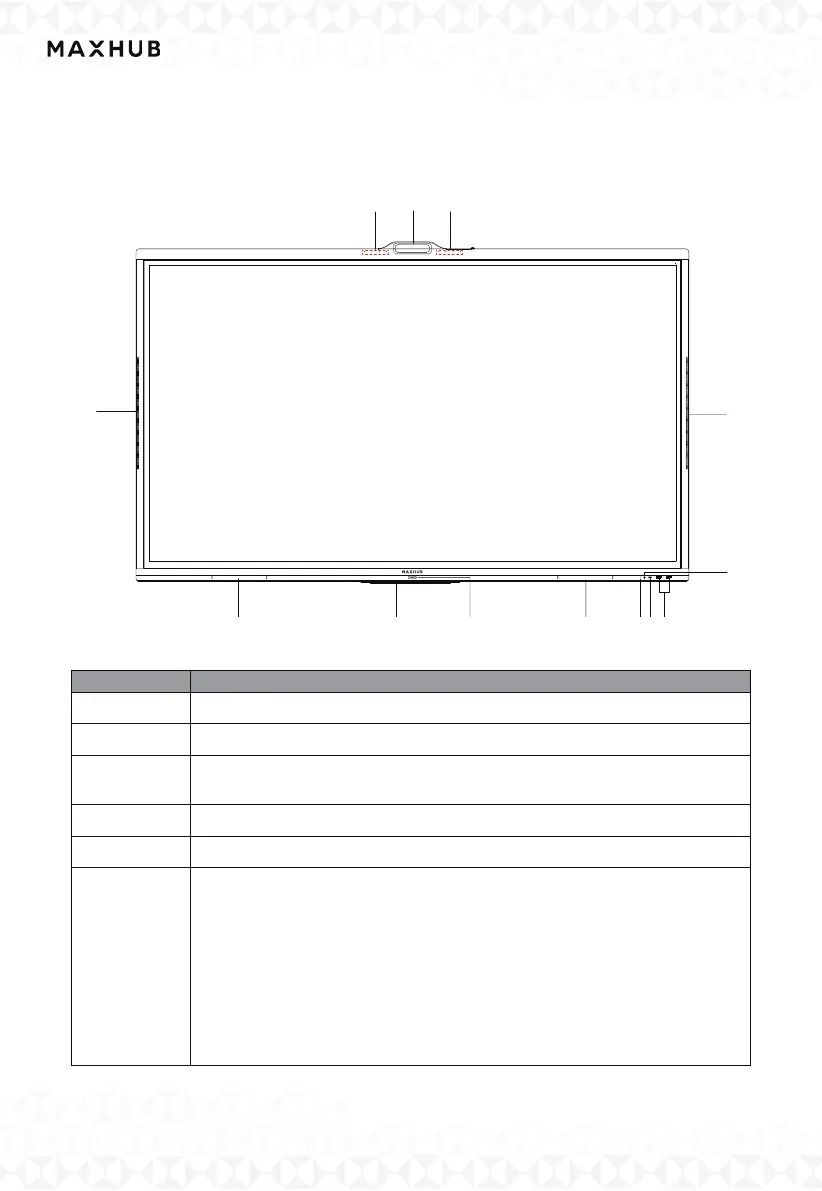
VII. Control Panel
To ensure the proper functioning of the product, it is important to keep it free of dust and
moisture. Regular cleaning with a soft, dust-free, and dry cloth is recommended. Remember
to unplug the product before cleaning.
1 Magnetic zone Area for placing the absorptive magnetic pen
2 Wireless module
3
Tap to enter energy saving function press at least 2 seconds to enter
standby mode
4 Remote control signal receiver Receive the remote signal
5 Light sensor Identify the brightness of ambient light
6
USB Type-C Supportcharging, data transmission, extension for
audio and video output interface, etc.
Note The maximum rated power of the USB Type-C port of this
product is
'XX'W. When using this port to charge electronic devices, the
charging power of the electronic device cannot exceed the rated power
of this port. If the charging power of the electronic device exceeds the
rated charging power of this port, please Do not directly use this port
for charging.
:
:
:
:
:



 To Next Page