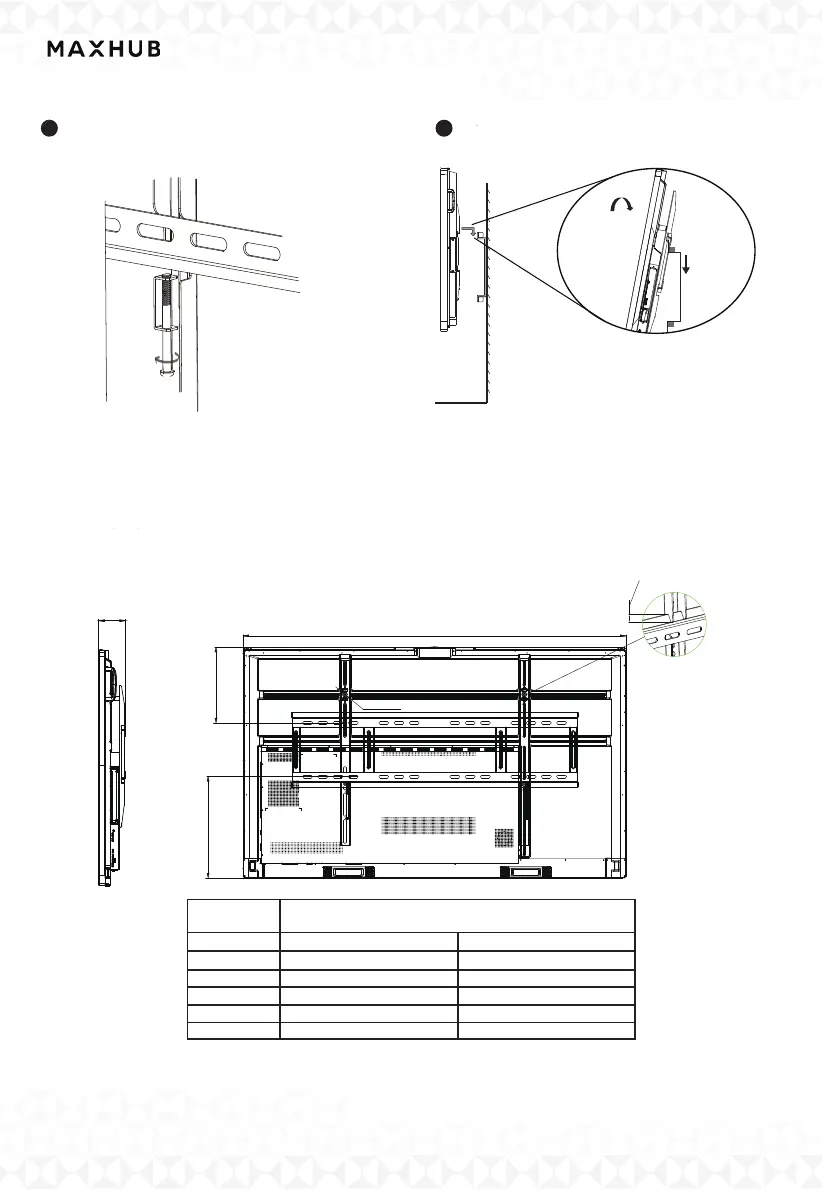
3.Reference On Wall Mount
When planning for wall mounting, it is important to take into consideration the physical
dimensions of the panel. To ensure ease of use, it is recommended to maintain a proper
distance between the wall and the back of the panel.
w
4-M8×25
Please mind the junction
12mm
L
L1
L2
NOTE: The table and diagram are only for reference.
Series
L
L1
L2
H
W
Dimension
ViewPro
1500 mm
1969 mm
925 mm
1188 mm
117 mm
126 mm
305 mm
522 mm
440 mm
486 mm
65" 86"
5 Tighten the safety screw counter-clockwise
to make the top of screw reach the second
screw hole.
6 Hang the panel vertically on the bracket
and then finish installation.
Tilt the Device
Mounting arms
& Screen
Wall Plate
Note: This step is especially important for
installation on the mobile stand. Tightening
the safety screws will make device more stable.
Note: Please keep the panel in the center of
the bracket.



 To Next Page