III. Installing the Wireless Module
Please make sure that the following items are ready before setting up the wireless module.
1×Interactive Flat Panel
1×Wireless Module
2×Screws (CM3×6mm)
Please make sure the power cord of the Interactive Flat Panel is disconnected before
installation.
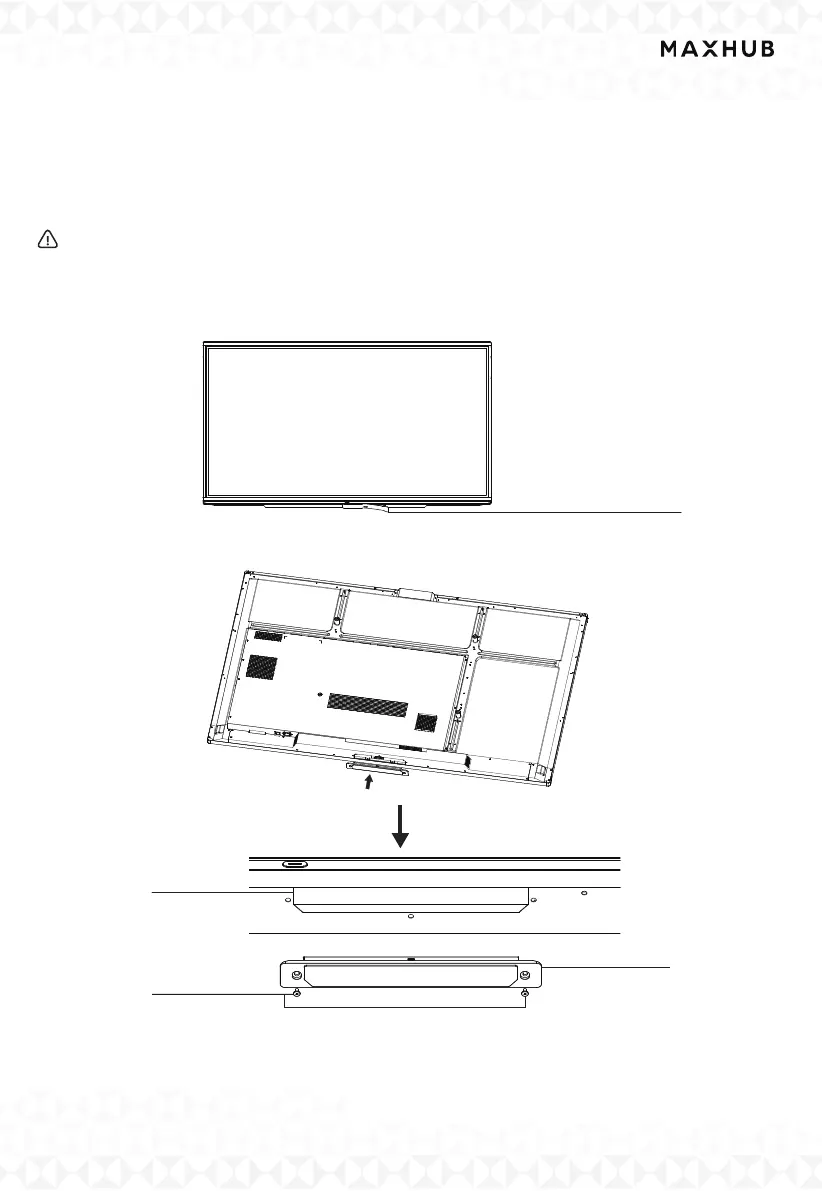
Step1: Remove the Mylar on the bottom of the interactive flat panel. Use a Phillips screwdriver
toloosen two screws and remove the cover.
Step2: Insert the wireless module into the wireless module slot and screw it up.
Note: This Wireless Module only works for the Interactive Flat Panel by plugging it into
the above slot.
Mylar from the bottom
Wireless Module
Wireless Module
Screws



 To Next Page