22
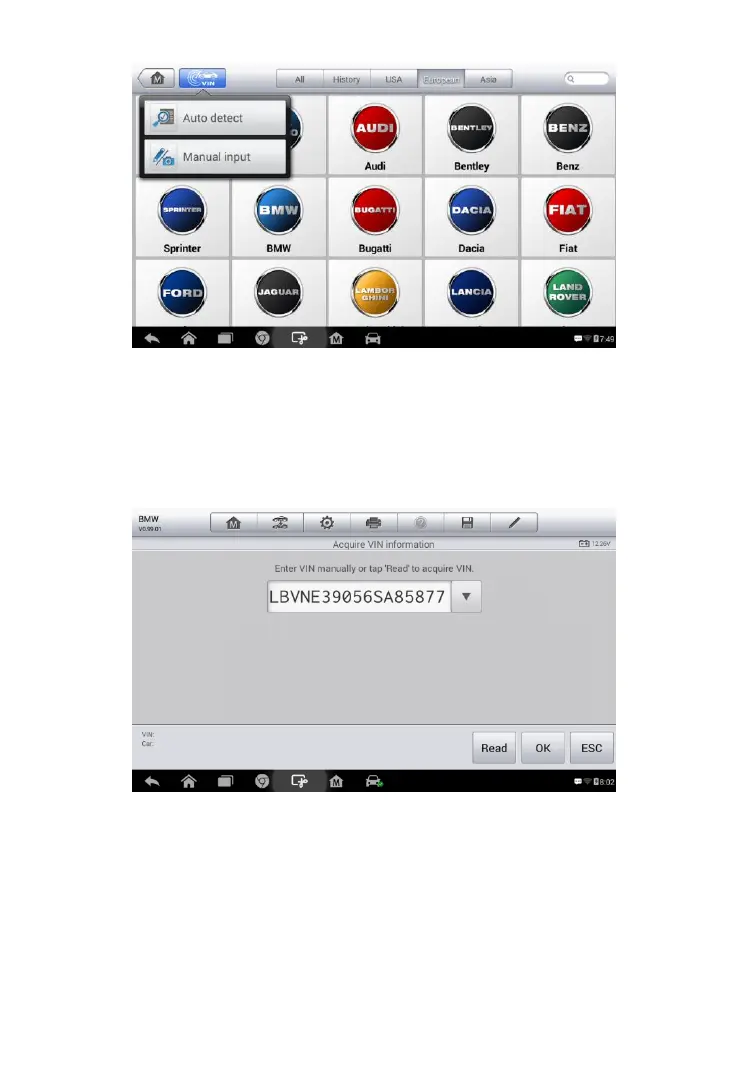
3. Select Auto Detect. Enter VIN manually or tap “Read” to acquire
VIN, the scan tool starts VIN scanning on the vehicle’s ECU. Once
the test vehicle is successfully identified, the screen will show you
the vehicle VIN, tap OK at the bottom to confirm the vehicle VIN.
4. Then tap OK to confirm the vehicle profile or NO to cancel.
Figure 4-3 Sample Auto Detect Screen
Figure 4-2 Sample Auto VIN Screen



 To Next Page