Press endure: Press and hold the “UP” button, the carriage rises to its highest position. After
holding 5 seconds, check and make sure there’s no hydraulic oil leaking out.
Lower: Press and hold the “DOWN” button, the carriages go down to the required height after
the safety hooks unlocked automatically.
Urgency pause: When emergency occurs, just press the red emergency button to stop the lif
t
& release it after everything is in good condition.
6.3.2. “PAIR” or “ALL” columns test
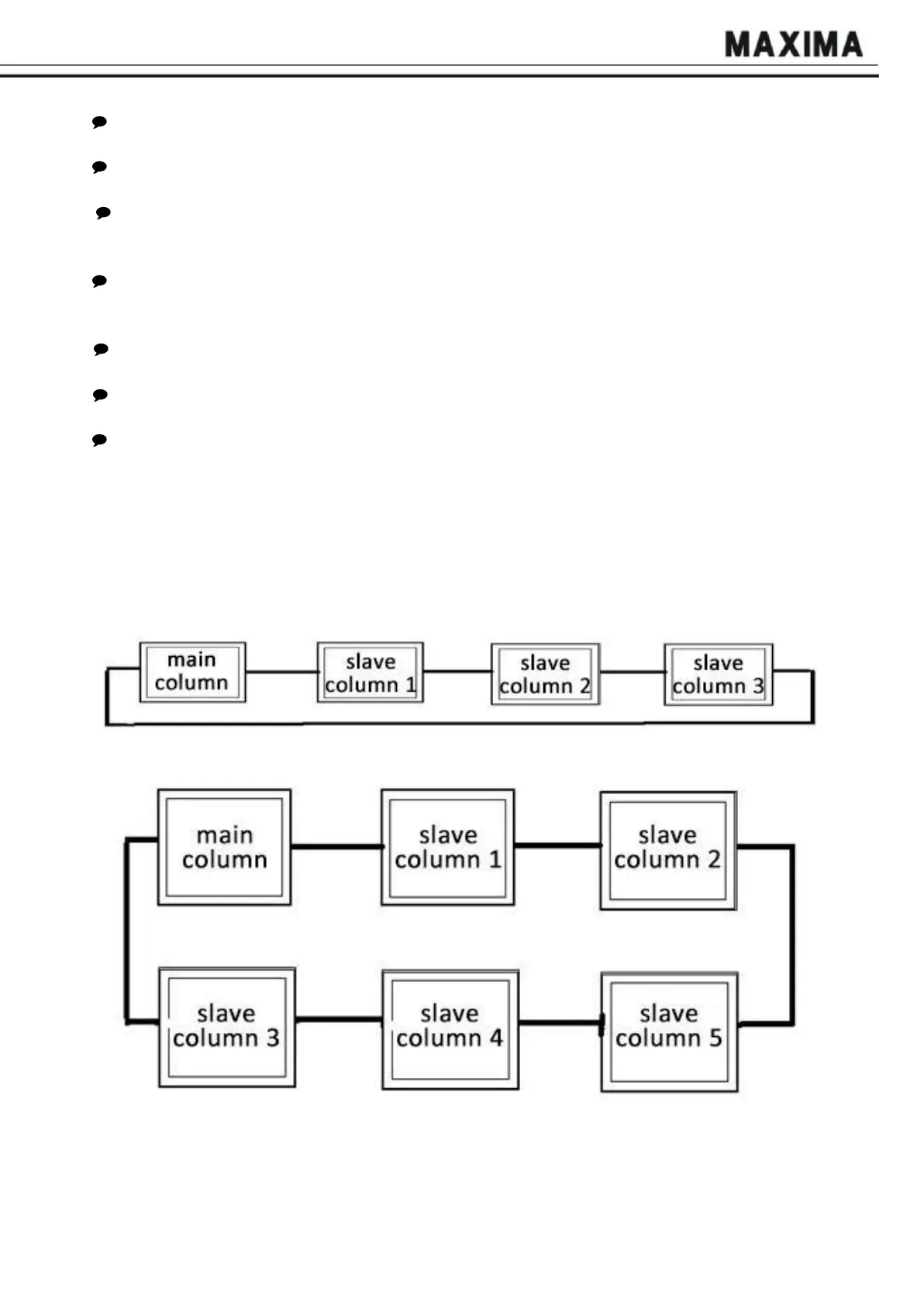
Power on: Connect all 4/6 columns with communication cable according to Fig. 9, 10, turn the
Mode Selection knob to PAIR or ALL mode, and power on main column and all slave columns.
LCD screen will show work interface after successful connection.
Rise: Unloaded, press and hold the “UP” button at the master control box, check if all the
corresponding carriages can rise normally;
Lower: Press and hold the “DOWN” button, the carriages go down to the required height after
the safety hooks unlocked automatically;
Urgency
Pause: When emergency occurs, just press the red emergency button on any column
to stop the system (if equipment continues going, please check electronic control system).
Check and repair the system according to the USER’S TROUBLESHOOTING MANUAL. Then
release it after everything is in good condition.
NOTE:
Please make sure that you have connected all communication cables according to Fig. 9 and 10
before operation.
Fig.
9
Fig.
10


 To Next Page