7. Operation
We introduce four columns operate process here; operation of two columns is the same way.
7.1. Raise
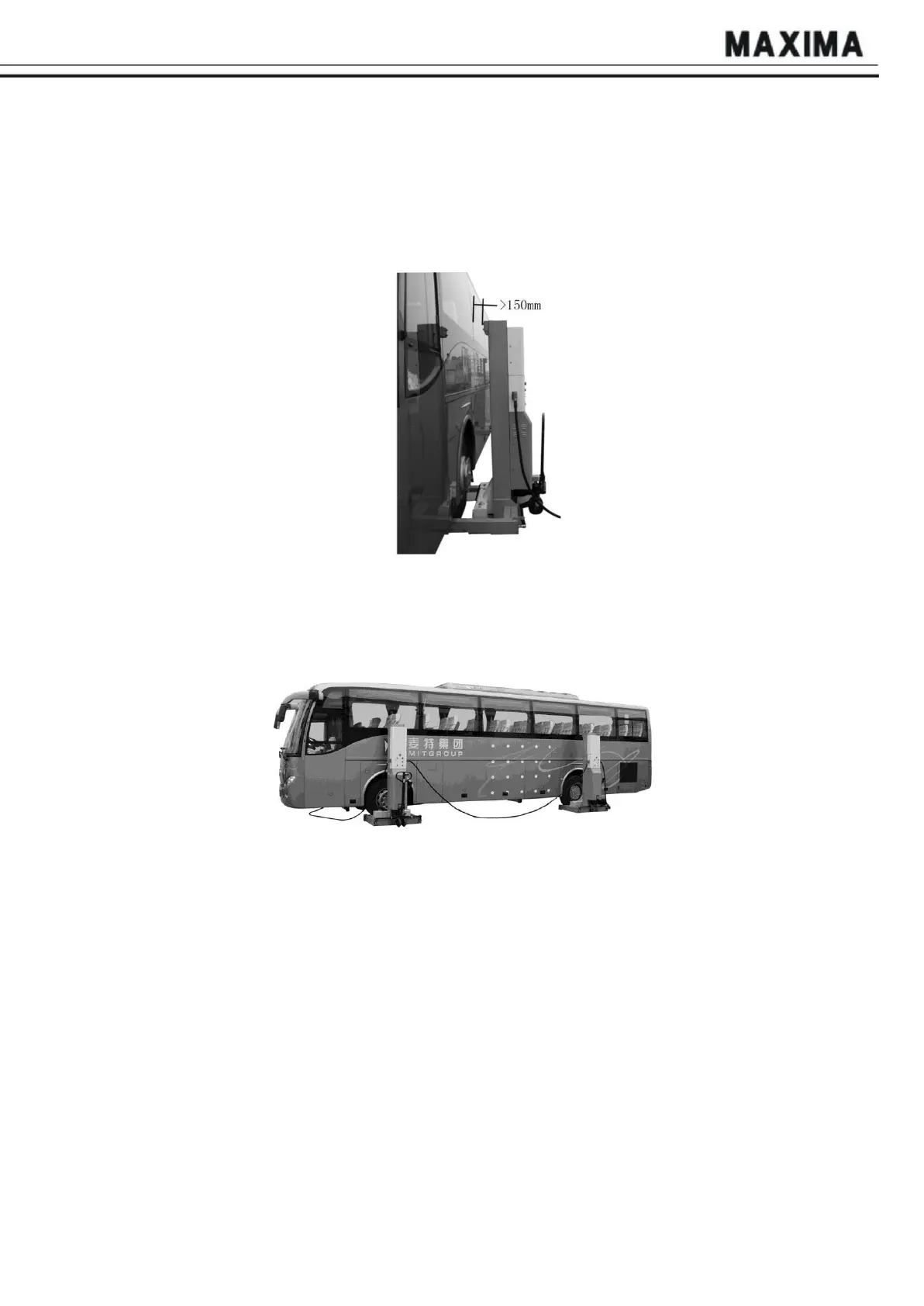
7.1.1. After testing successfully, move the four holding fork arms to their very positions. The
contacting range must equal with the width of the tires. The right position of each column is
shown as Fig.11.
Fig.
11
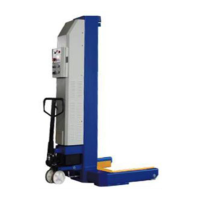
7.1.2. Connect all columns with communication cable according to Fig. 12, turn the Mode
Selection knob to PAIR or ALL mode, and power on main column and all slave columns. LCD
screen will show work interface after successful connection.
Fig.
12
7.1.3. Press and hold the “UP” button, when the height reaches 10cm, the column stops, and
the beep rings for 2 seconds; please loose the button, and ensure all carriages are lies tightly
against the tires. Then continue lifting up the columns.
7.2. Lower
7.2.1. Press and hold the “DOWN” button to lower the vehicle. When the carriage reaches
30cm, the column stops automatically, and the beep rings, please do not put your feet under
the carriage to avoid any hurts.
7.2.2. After lowering the vehicle to the ground, move the lift away from it and then drive the
vehicle away.
NOTE:
1. When there is vehicle on the system, make sure 4 wheels of vehicle are on same level, and
choose ALL mode;
2. Don't lift any vehicle before hydraulic trolley unloads the press!


 To Next Page