11
PIVOT SHOE
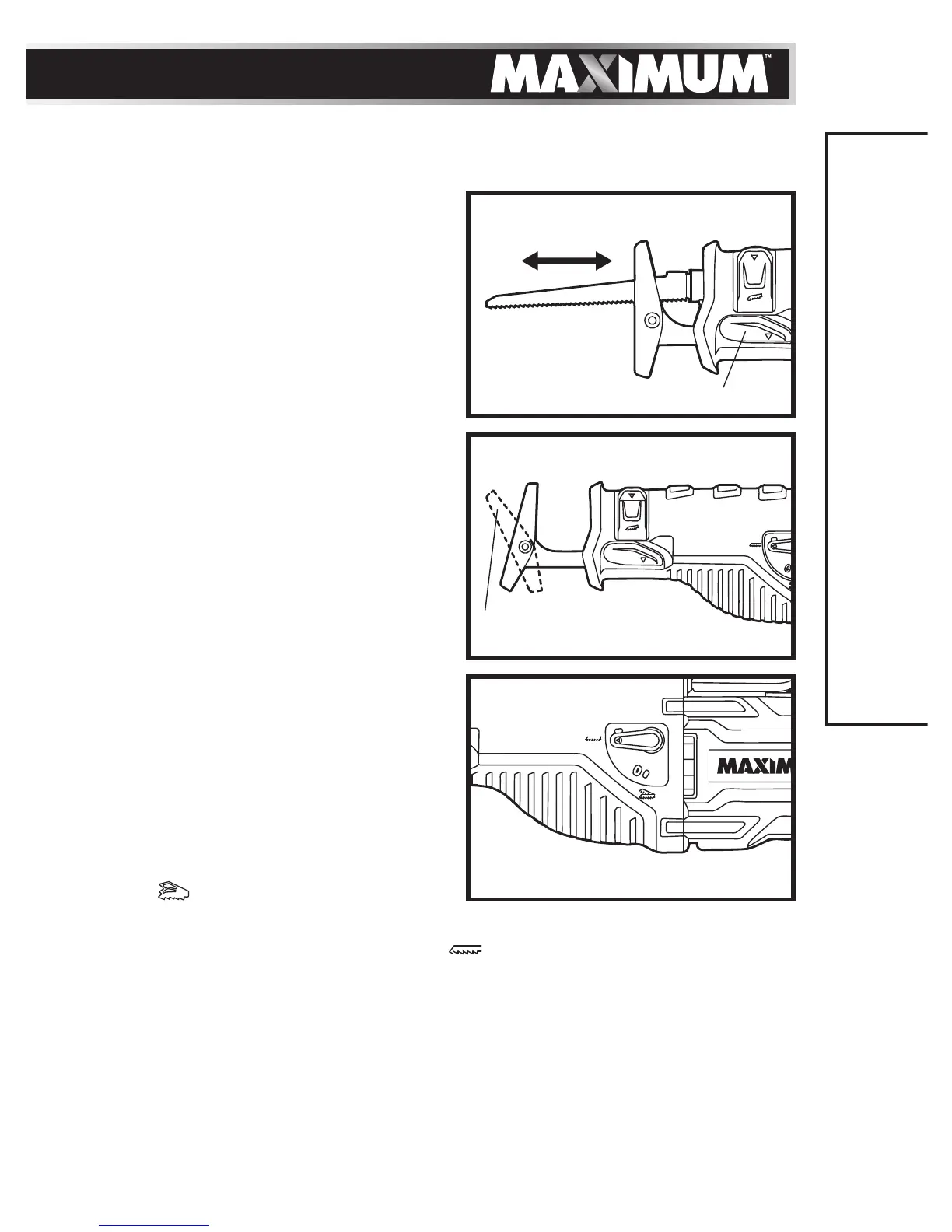
Sliding the shoe in or out (fig 2)
For maximum control and longer blade
life, the base assembly slides in or out to
adjust the effective stroke length.
1. Disconnect the saw from the power
supply.
2. Pull the shoe-release lever (5) and slide
the pivot shoe to the desired position.
3. Release the shoe-release lever in
order to lock the shoe in the desired
position.
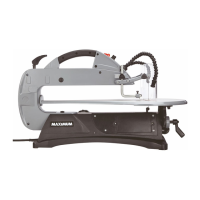
Pivoting the shoe (fig 3)
The shoe pivots to provide maximum
control against the surface being cut.
1. Unplug the reciprocating saw from the
power supply.
2. Hold the saw firmly, and then pivot the
shoe to the desired angle.
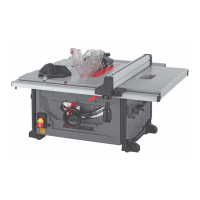
ORBITAL ACTION (g 4)
This reciprocating saw has the option
of pendulum action to make the blade
swing slightly as it cuts: orbital action.
1. Disconnect the saw from the power
supply.
2. Turn the orbital function lever to
the “
” position for orbital
cutting action.
3. Turn the orbital function lever to the “
” position for straight
cutting action.
Orbital action increases the speed of the cut, but may result in a rougher finish
to the cut in some materials.
Experiment on a piece of scrap material to determine the optimum action
setting.
ASSEMBLY INSTRUCTIONS
g 4
g 3
Pivot shoe
g 2
Shoe-release lever
Out
In


 To Next Page