15
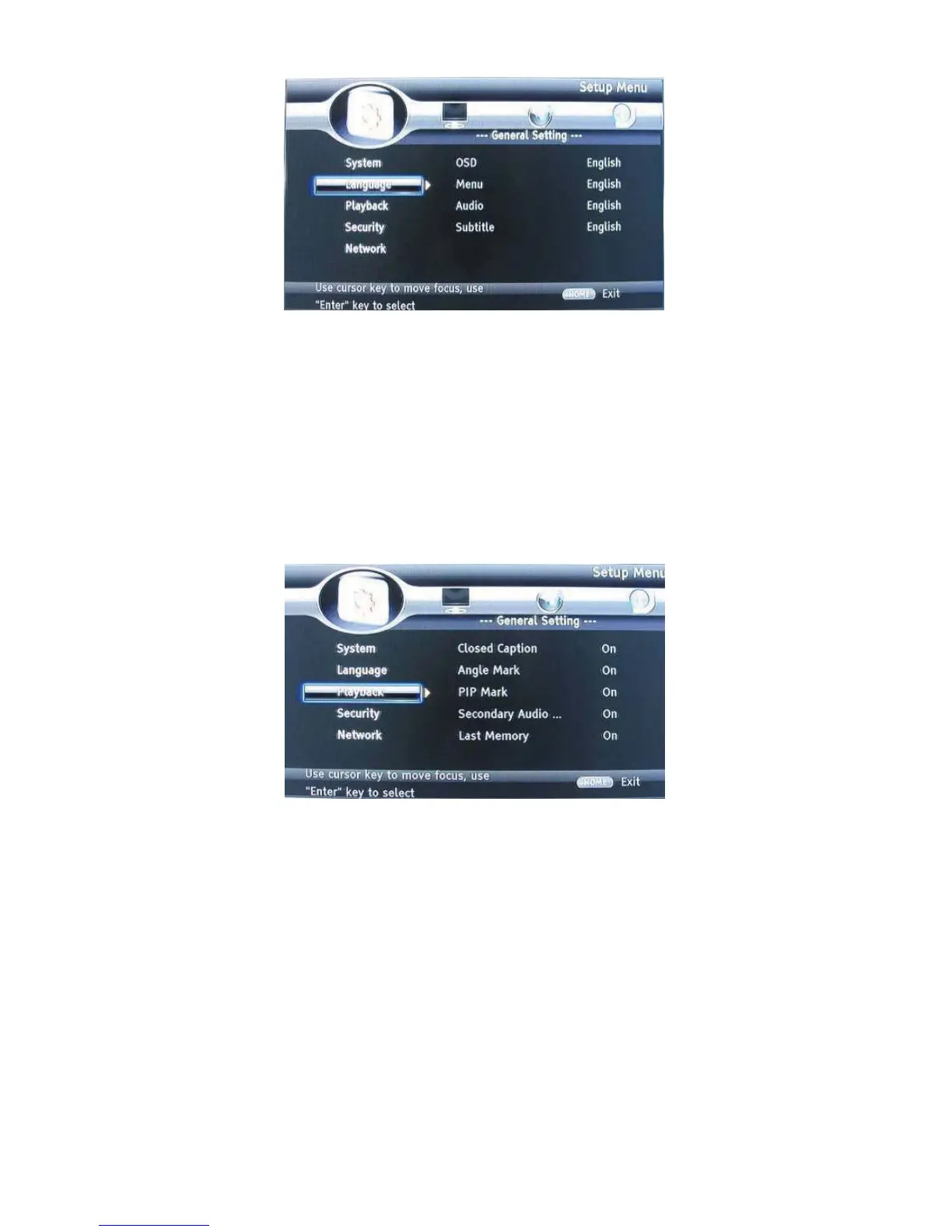
LANGUAGE
1. OSD: Selects the OSD language.
2. Menu: Selects the menu language of the disc.
3. Audio: Selects the audio language for the program.
4. Subtitle: Selects the subtitle language for the program
.
Note:
You have to select the audio and subtitle language according to the requirements on the
disc.
PLAYBACK
1. Closed Caption: Turn on/off the CC function.
2. Angle Mark: Turn on/off the Angle mark function.
3. PIP Mark: Turn on/off the PIP mark function
4. Secondary Audio: Turn on/off Secondary Audio mark function.
5. Last Memory: Turn on/off the last memory function
6. PBC: Turn the PBC function on/off.


 To Next Page