16
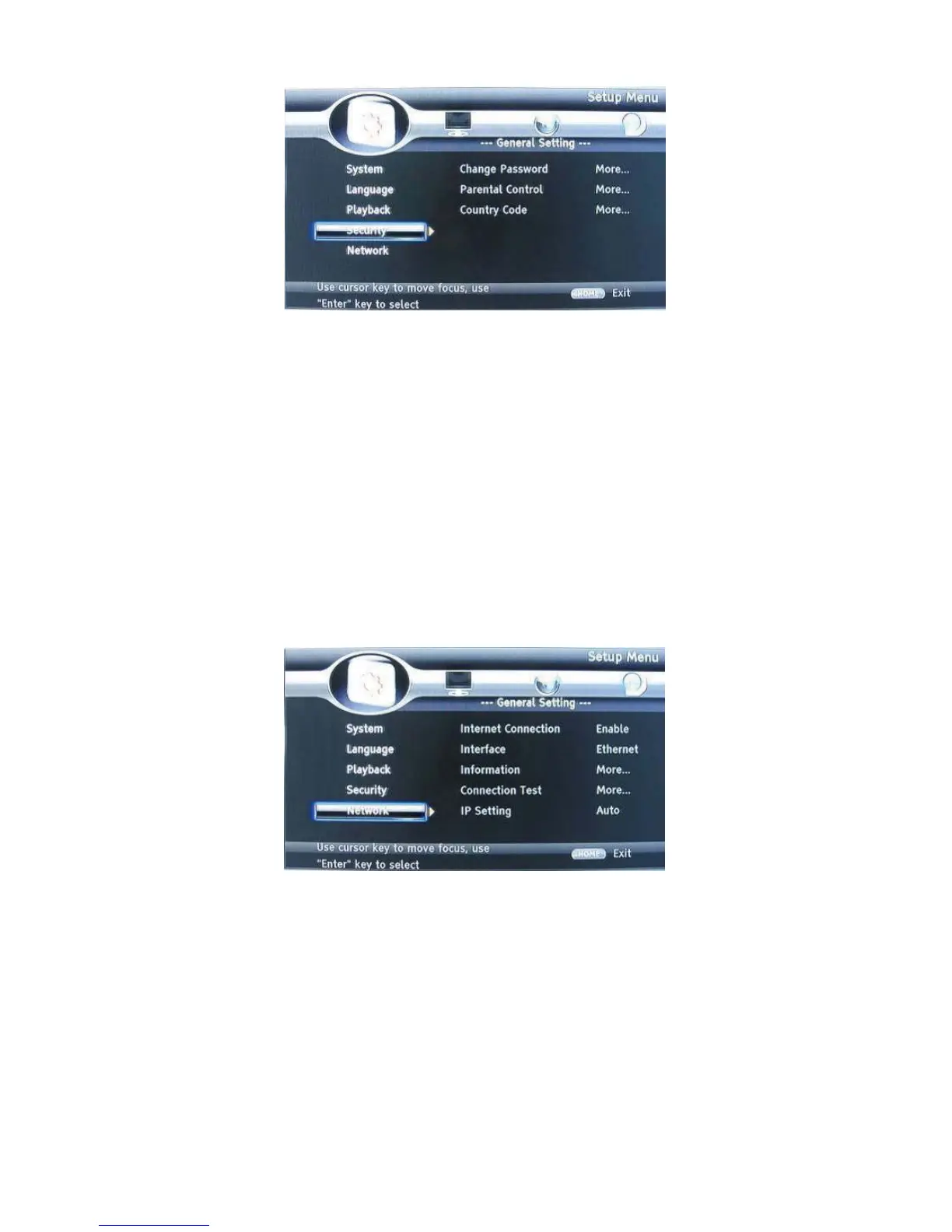
SECURITY
1. Change Password: Changes the password for parental control menu.
2. Parental Control: to set the parental control.
3. Country Code: Select the Country code.
Note:
The original code is 0000. The code can be changed by user.
NETWORK
• Connect this product to a broadband MODEM or router.
• This player will start to detect if there is a connection to the network.
• If the connection test fails, select (Retry) and press OK to try and re-connect to the
network again.
1. Internet Connection: Displays the Internet connection state.
2. Information:Displays information of the current Network.
3. Connection Test: Tests the Internet connection state.
4. IP Setting: Sets the IP for the player.
5. BD-Live Connection: Connection situation of BD-Live.
6. Proxy Setting: Setup Proxy Server.


 To Next Page