17
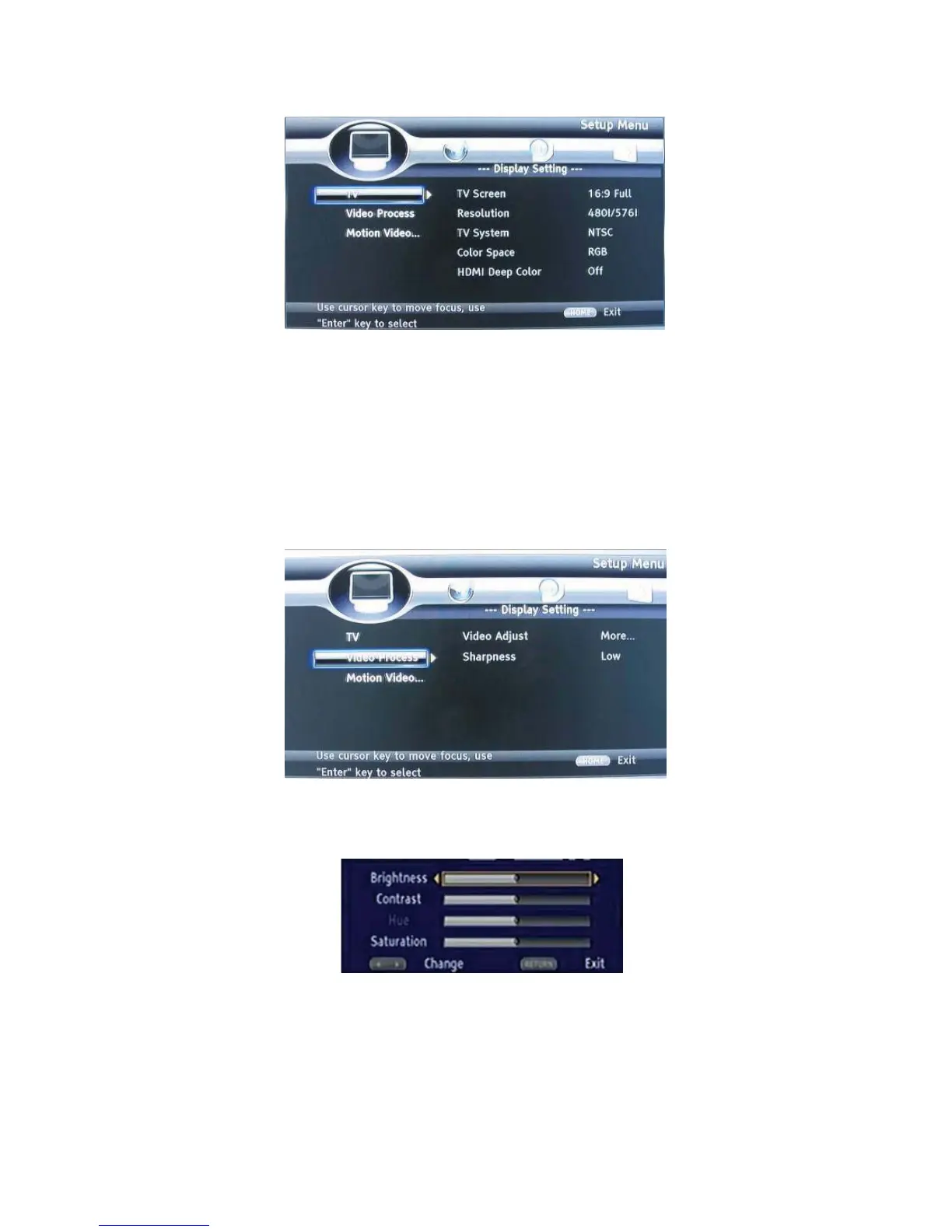
DISPLAY SETTINGS
TV
1. TV Screen: Selects the display mode for the TV.
2. Resolution: Selects the resolution for the TV.
3. TV System: Selects the TV system type.
4. Color Space: Selects the color space.
5. HDMI Deep Color: Selects the color for HDMI.
6. HDMI 1080 24Hz: Enable/disable this settings.
VIDEO PROCESSING
1. Video Adjust: Enter the submenu to adjust the video display.
2. Sharpness: Select the playback sharpness mode.
Adjust the Brightness, Contrast, Hue, Saturation of the screen to suit.
AUDIO SETTING
1. SPDIF: Selects the SPDIF mode.
2. HDMI: Selects the HDMI mode.
3. Down samp: Selects down samp.
(Select this when the Amplifier connected to the placer is not 96KHz compatible)


 To Next Page