Priority Scan
The priority scan is shown as “P-” in conjunction with the channel on the LCD. The priority scan is to
check a receiving status between each scan channels per the following: P, S1, P, S2, P, S3. The
priority channel is scanned periodically within the normal scanning and the priority is received prior to
other signals. During the status of receiving a signal, the channel can be moved to next scan
channel by up/down button. Furthermore, the channel of receiving signal can be deleted from the list
of scan temporarily. When the priority is received, the channel can not be changed or deleted.
Key Lock
During standby, if a key programmed for key lock is pressed, the key lock icon will be shown on the
display. The channel selector is halted along with the programmable keys. Only monitor and the
volume control are functional.
SelCall
*With SelCall programmed, paging between individuals or groups can be available with 5 tones.
A maximum of 100 IDs’ can be stored in the list.
*To escape SelCall model, press and hold the channel selector over 2 seconds.
1) Call on SelCall
To initiate a call, press the “S” key over 2 seconds at default setting or the key programmed as
SelCall. Rotate the selector to select the SelCall channel you want to call. If you want to call “ID: A”
in the list, select “A” by pushing the selector.
And then push the selector to send the SelCall signal to the radio you want to call.
If the program is set as sending caller’s ID altogether, the receiving radio is shown with the caller’s ID
on the display.
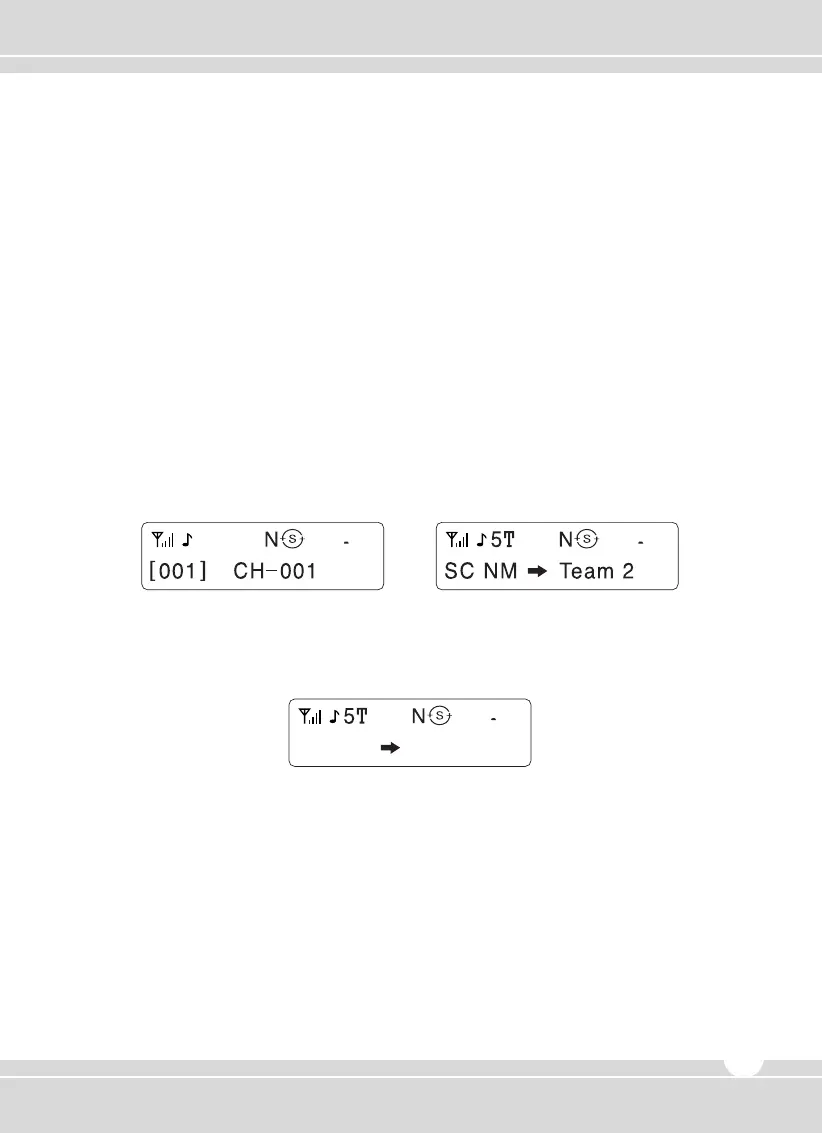
ID selection
No SelCall operation SelCall operation
www.maxonamerica.com
11


 To Next Page