02
02
1. When the phone is paired with audio for the first time, shall look at the steps.
Pair and connect
2. Search by mobile Bluetooth® device or search for Bluetooth® devices through the host, and connect.
3. Is displayed on the phone screen a message, enter the password (0000) on your phone, then press (ENTER).
Open the phone Bluetooth® feature.
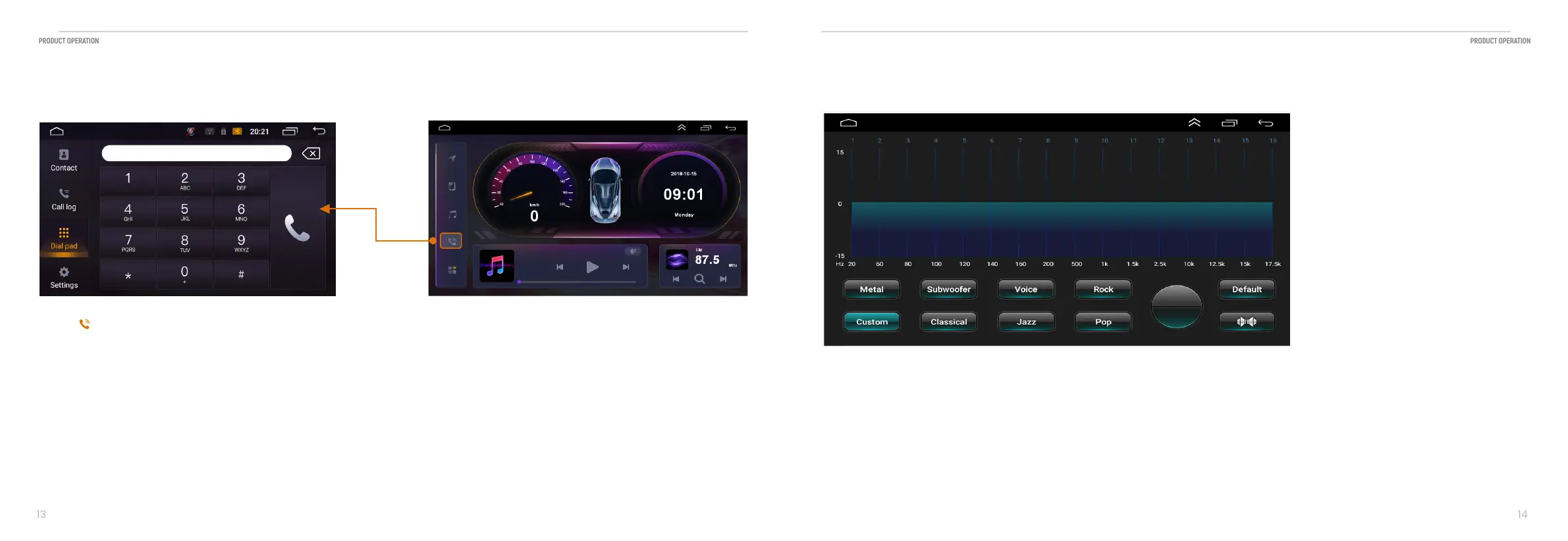
2.10 Phone call
Telephony features
Touch 【 】 icon to enter the following interface:
2.11 Subwoofer function
You can Chose:
Metal Subwoofer Voice Rock Pop Jazz Classical
Music style by touch the button.
Or you can touch Custom button to set your own style


 To Next Page