COMMON TROUBLESHOOTING GUIDE
06
05
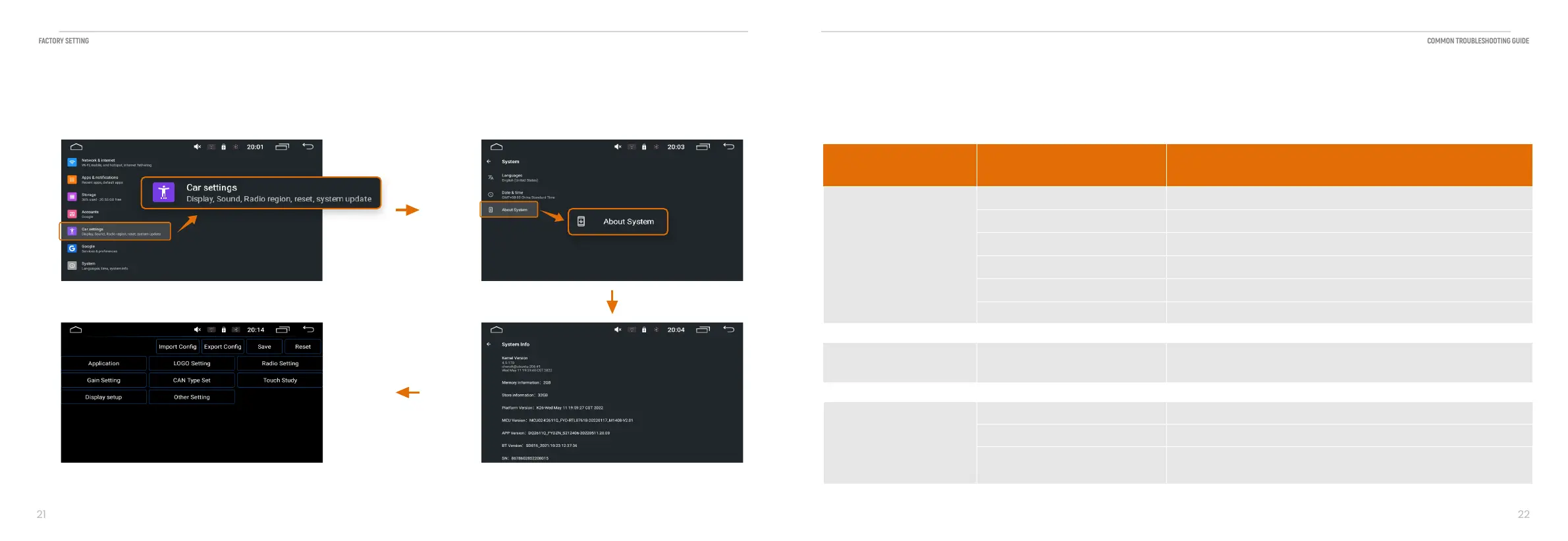
Factory Setting
Logo, radio, gain, can type, Touch study display setting
FACTORY SETTING
COMMON TROUBLESHOOTING GUIDE
No sound
lnternal amplifier is off
Product is muted
External amplifiers
Audio source
External amplifiers
Go to Settings > Audio > Internal Amp ON
Touch the volume.
Check the external amplifiers are on.
Check the remote output wire has voltage.
Change the audio source.
Connect 12V ACC wire to the power amplifier wire.
Radio area
Antenna
Poor radio reception
Change the station.
Antenna output wire is not connected.
Connect Antenna to product.
Media on USB flash drive
Media not supported
Change the media format on the USB device.
Change the USB device.
Issues Cause Solution


 To Next Page