8
LCD Setting
After pressing and holding ENTER button for 3 seconds, the unit will enter setting mode. Press “SCROLL” button
to select setting programs. And then, press “ENTER” button to confirm the selection or ESC button to exit.
Setting Programs
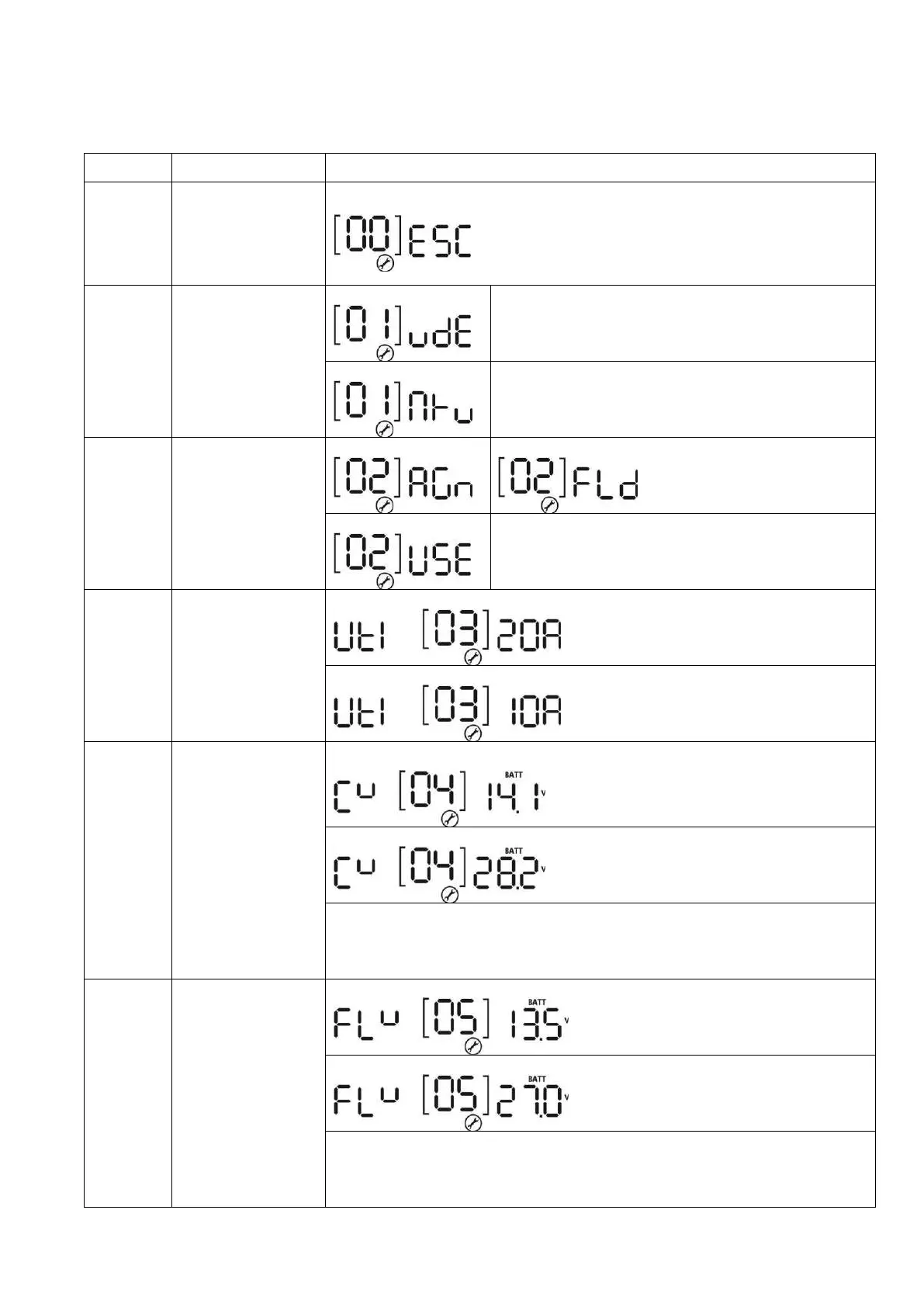
If selected, acceptable AC input voltage range will be
within 90-280VAC.
If selected, acceptable AC input voltage range will be
within 170-280VAC.
Bulk charging (C.V
voltage)voltage
SUNBRIDGE 1000 model default setting: 14.1V
SUNBRIDGE 2000 model default setting: 28.2V
If self-defined is selected in program 02, this program can be set up. Setting
range is from 13.0V to 14.6V for SUNBRIDGE 1000 model and increment of
each click is 0.1V. Setting range is from 26.0V to 29.2V for SUNBRIDGE 2000
model and increment of each click is 0.2V.
Floating charging
voltage
SUNBRIDGE 1000 model default setting: 13.5V
SUNBRIDGE 2000 model default setting: 27.0V
If self-defined is selected in program 02, this program can be set up. Setting
range is from 13.0V to 14.6V for SUNBRIDGE 1000 model and increment of
each click is 0.1V. Setting range is from 26.0V to 29.2V for SUNBRIDGE 2000
model and increment of each click is 0.2V.



 To Next Page