App Features
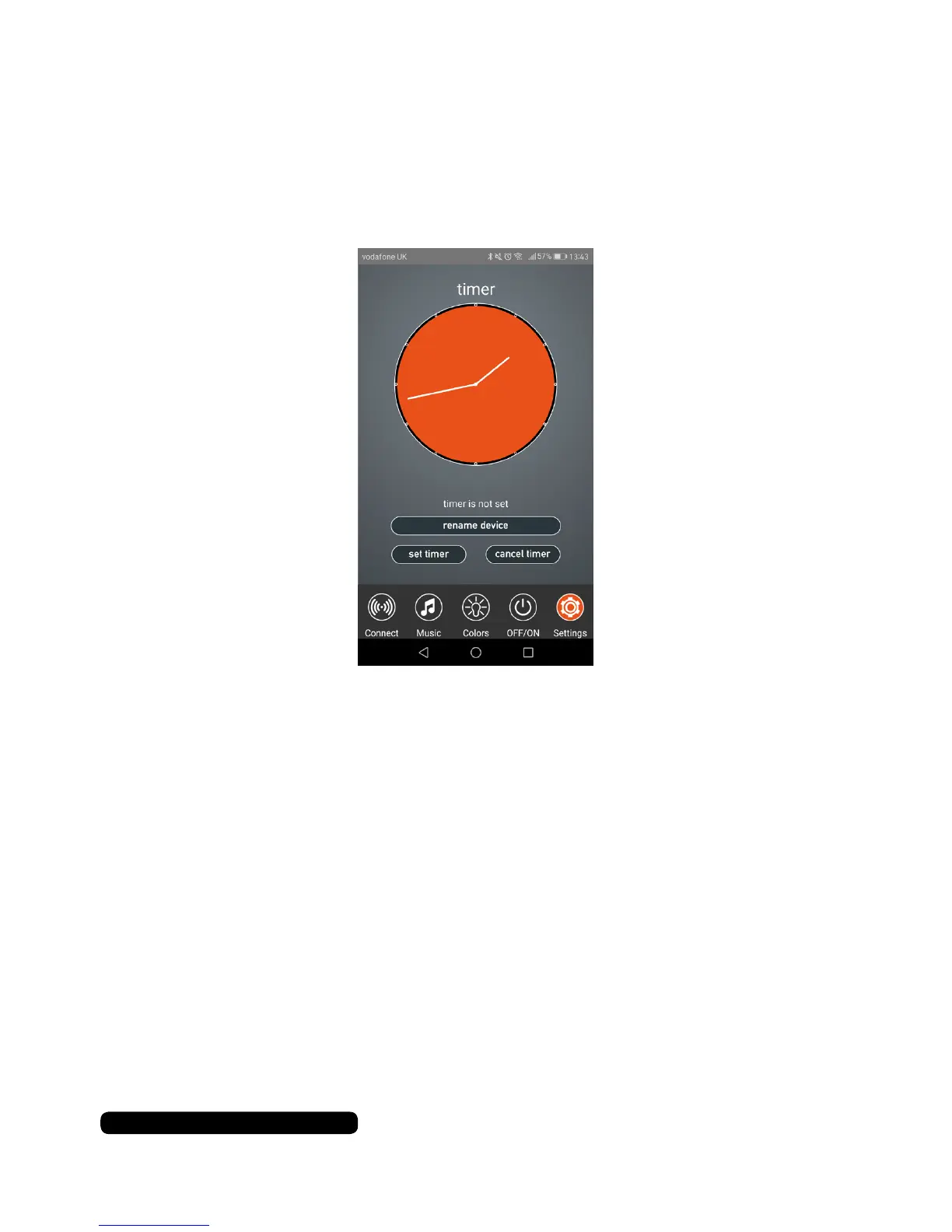
Timer
Touch the timer icon at the bottom of the screen to access the
app’s bulb timer feature.
Drag the hands of the clock face to select the time you would like
to turn off the bulb and touch ‘set timer’ to save and set it.
Touch ‘cancel timer’ to cancel the current set timer.
Renaming The Bulb
You can rename the bluetooth name of the bulb under the ‘timer’
option. Touch the name box and enter the desired name. Touch
‘Ok’ to conrm the new name. The name will be displayed under
the ‘connect’ tab of the app.
11
After Sales Support
UK/N.IRELAND HELPLINE N
O
:
REP.IRELAND HELPLINE N
O
:
WEBSITE:
EMAIL:
01270 508538
1800 995 036
www.quesh.co.uk
enquiries@quesh.co.uk


 To Next Page