9
After Sales Support
UK/N.IRELAND HELPLINE N
O
:
REP.IRELAND HELPLINE N
O
:
WEBSITE:
EMAIL:
01270 508538
1800 995 036
www.quesh.co.uk
enquiries@quesh.co.uk
Instructions
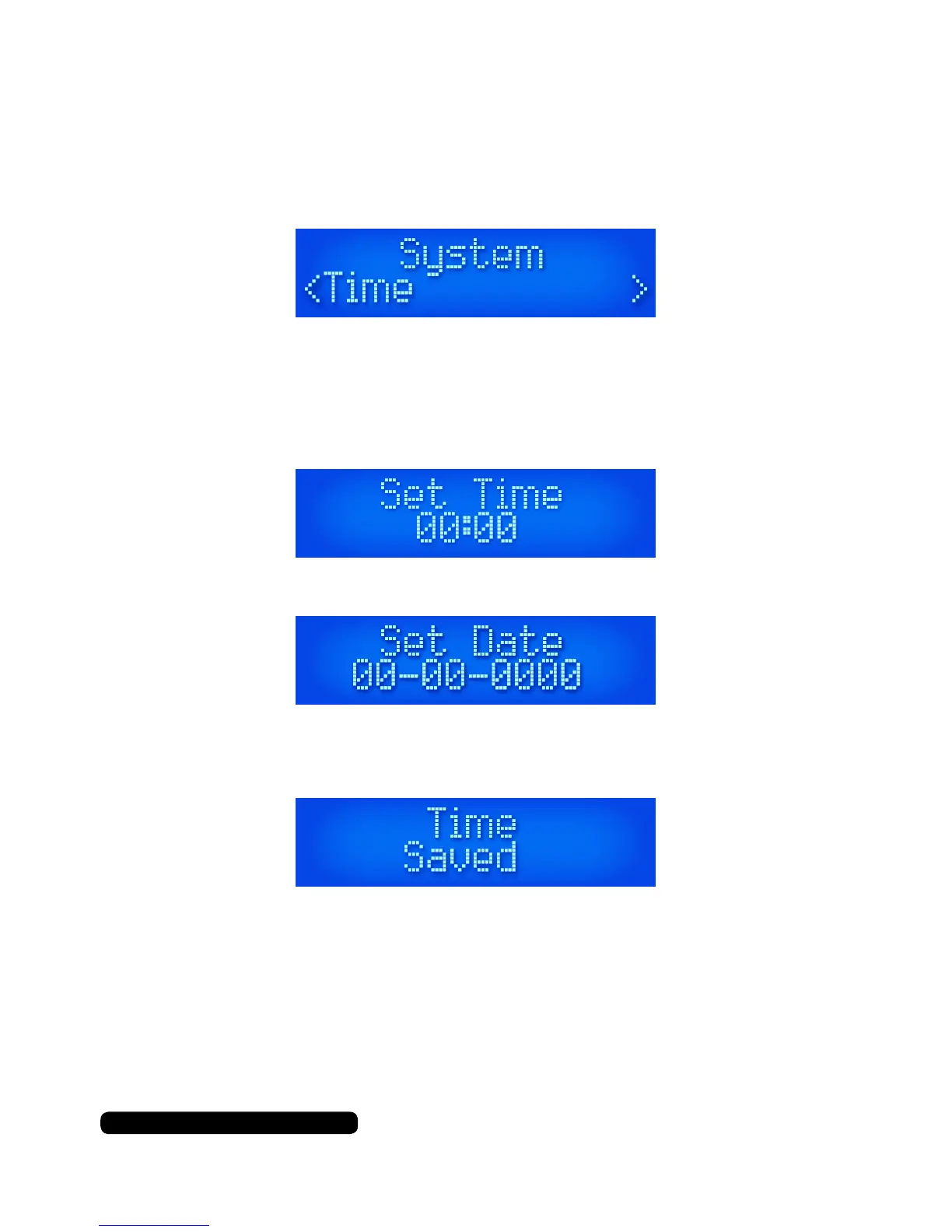
Manually Setting the Time/Date
Press ‘Menu’ and scroll through and select ‘System’ by pressing the
‘Scroll’ dial. Cycle through the next menu and select ‘Time’.
Select the ‘Set Time/Date’ time option. You will see the hours ashing
rst. Turn the ‘Scroll’ dial to the required hour and press in the ‘Scroll’
dial to conrm your selection. The minutes will be ashing, repeat the
process as the hours to set the minutes.
After the time has been set it will cycle through to the date settings.
Repeat the process that you used to set the time to set the required
date. A message will appear on the display when successfully set.
Under the ‘Time’ menu options you can also set the time
automatically by selecting ‘Auto Update’. This will update the date and
time via the DAB signal received by the radio.



 To Next Page