Operation
- 33 -
Tabelle Table 1 Key functions (continued)
Enter/change values Arrow keys
Confirm the entered values Enter key
Return to the next superordinate menu level Back key
Enter values Numeric keypad
Initialise (Reset) of Display - Press together Back-key + Enter
+
Wakeup sleepmode (press 5 sec. at least) (only for portables) Back- key
Restore factory settings (Display = „load factorysettings“)
Hold Back-key until boot process is finished
Note: all Data will be deleted
Back- key
Example:
A setting needs to be changed.
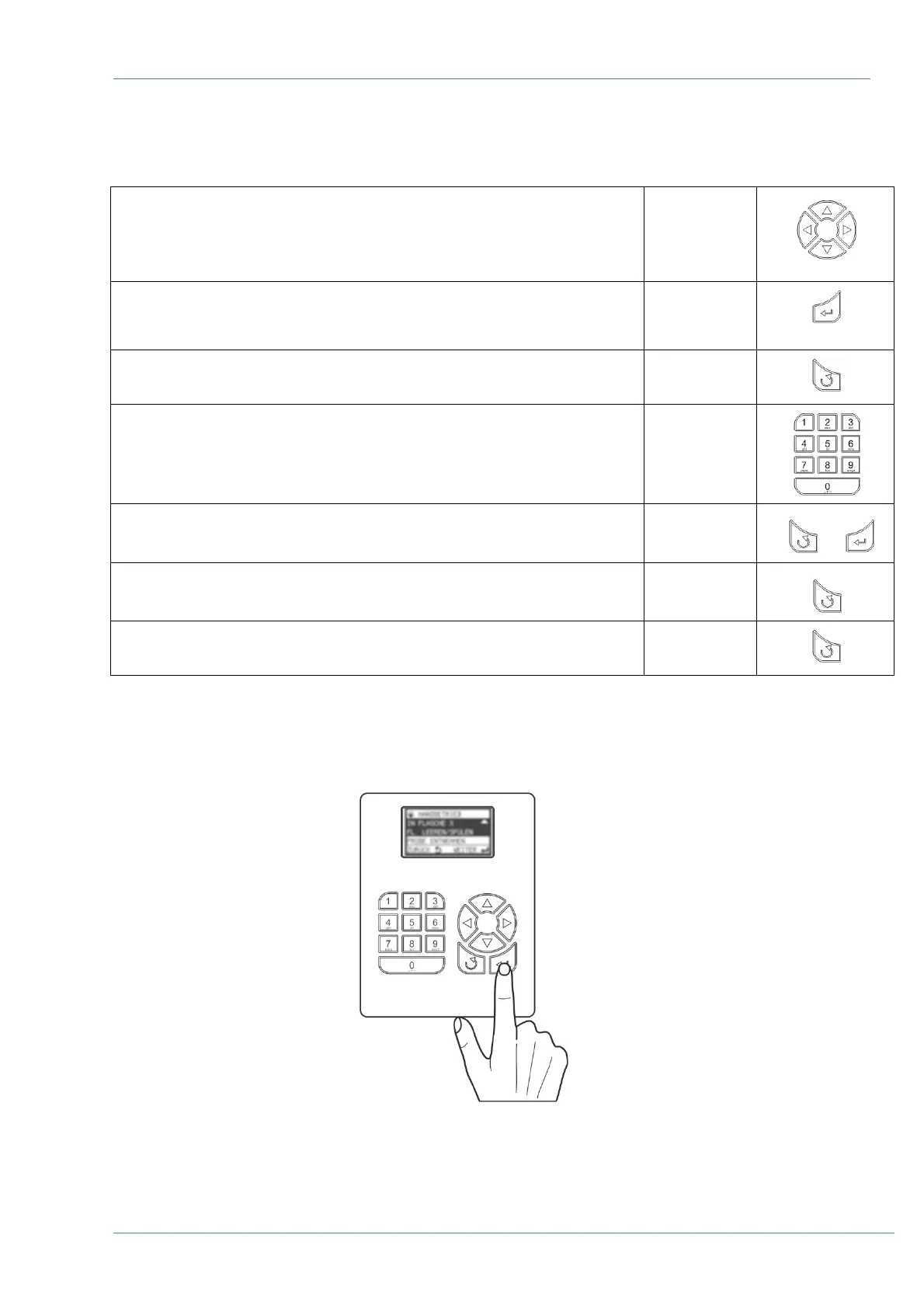
1. Press the arrow key, to move the cursor to the desired position.
2. Press the Enter Key to execute the desired function.
Figure 43 Start the program


 To Next Page