Chapter 4 Operation
- 32 -
4.1 Control unit operation
All the equipment functions are software-controlled.
4.1.1 Programming
The menu structure is similar to the directory structure of a computer hard
drive and is divided into main menus and sub menus.
4.1.1.1 Keyboard layout/function
The equipment is programmed by the operator.
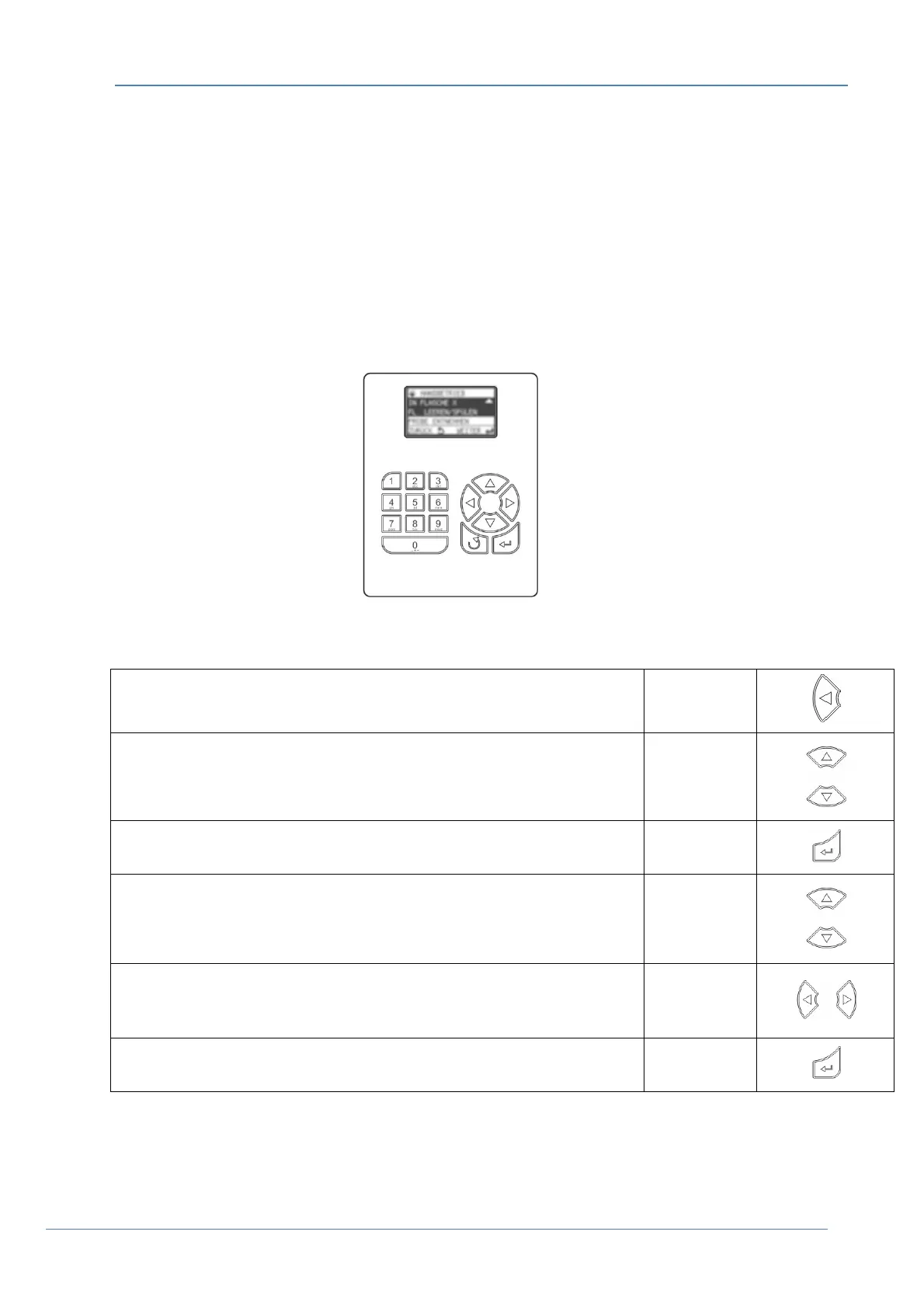
Figure 42 Control panel
Table 1 Key functions
Display help text
(in the case of selection fields, the cursor must be placed
on the left-hand side
Arrow key
Move from one menu item to the next menu selection Arrow keys
Select the desired menu Enter key
Move within a menu Arrow keys
Selection within the menu Arrow keys
Confirm the selection
(automatically marked with a )
Enter key


 To Next Page