2
Introduction
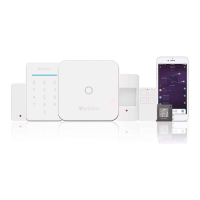
• Thank you for purchasing the MaxxOne® Kite Smart Alarm System. Kite will give you complete control over your
home’s security and home automaon via your smartphone, tablets or web clients. This manual will guide you
through the setup procedures and highlight some key features.
• Please note that all contents listed here might be slightly dierent from the contents of the package or in App.
Please check hp://www.maxxone.com to obtain the latest version of the user manual.
Important Notes for Users
• Please connect the power cable before rst using.
• All sensors and devices in the package have already been paired with the main box before shipping. Users can start
using the whole system aer seng the network. For the extra accessories (like sensors or smart devices), you
need to pair them with the system for working normally.
• This system is designed to be easy to set and use. Most users can nish this process within 15 minutes. If there is
any problem with the seng up this device, please contact MaxxOne or the distributor for help.
• All manuals, warranty cards, nameplates and sckers with QR codes or barcodes, should be carefully kept for
future use.


 To Next Page