8
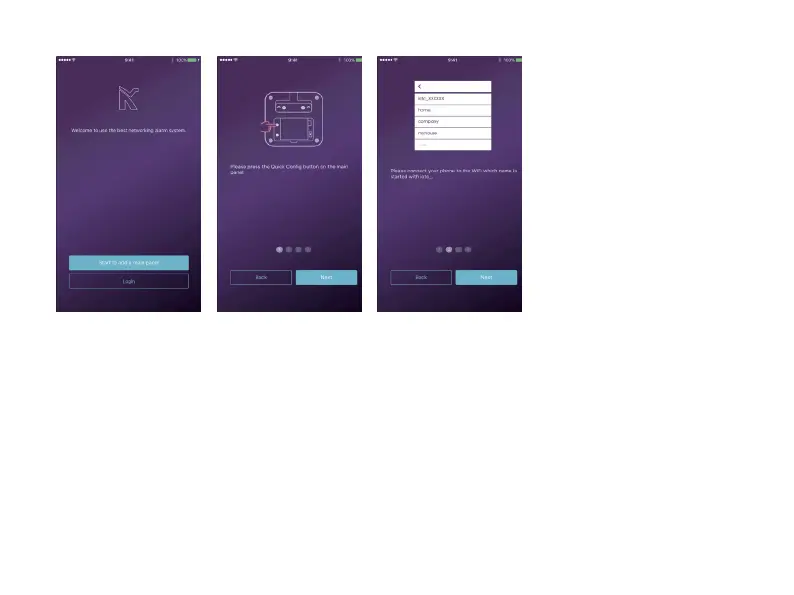
- Hold the Networking Seng
Buon in the baery cover unl
the LED indicator starts ashing.
- Launch the App - [Start to add
a main panel] - [Quick Cong
Mode], and follow the guidelines
to nish the networking process.
• Seng Networking
- Make sure your mobile phone has been connected to the Internet via cellular or WiFi.
- Try pressing ARM/DISARM buon in App, to see if the status icon in App would be changed immediately.
- Try using remote control, pressing ARM / DISARM buon to see if the status icon in App would be changed immediately.
• Check Seng
- Put the baery cover back.
- Place your main box on the desktop or using the bracket to mount it on the wall.
• Finishing & Mounng


 To Next Page