3
Step 1
Controls at a Glance
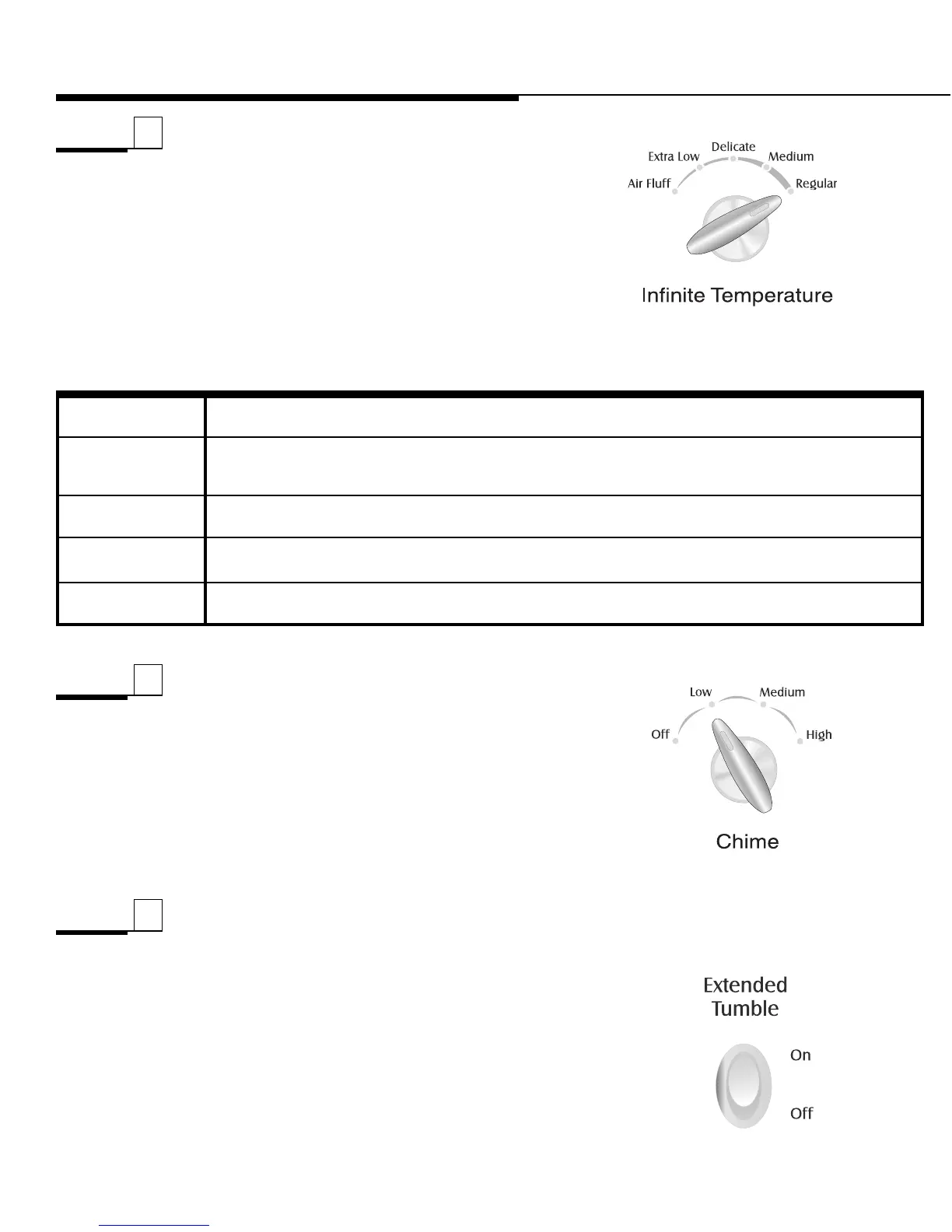
Select Temperature
To select the correct temperature, turn the temperature
control to the desired temperature choice;
Regular,
Medium, Delicate, Extra Low (select models) or Air
Fluff
.
On select models, the temperature can be set on or
between the temperature settings.
Select Chime
End of Cycle Chime
When the cycle is complete, a chime will sound several
times. On select models, the End of Cycle Chime volume
is adjustable. To adjust the volume, select any setting
between Of
f and High.
Step 2
For sturdy cottons or those labeled “Tumble Dry.”
For permanent press, synthetics, lightweight cottons or items labeled “Tumble Dry
Medium."
For heat sensitive items labeled “Tumble Dry Low” or “T
umble Dry Warm.”
Provides the lowest heated dry temperature possible.
Tumbles without heat. Used for sensitive loads or items needing freshening.
Regular
Delicate
Medium
DRYER TEMPS
LOAD TYPE
Extra Low
(select models)
Air Fluff
Select Options
Extended Tumble (select models)
Extended T
umble is pr
ovided to minimize wrinkles in
the Permanent Press IntelliDry Cycle. This feature
provides an extra 24 minutes of unheated tumble action
at the end of the cycle. Clothes can be r
emoved any
time during this portion of the cycle. The additional 24
minutes of unheated tumbling can be cancelled by
setting the switch to
Off.
Step 3





 To Next Page