Cycles at a Glance
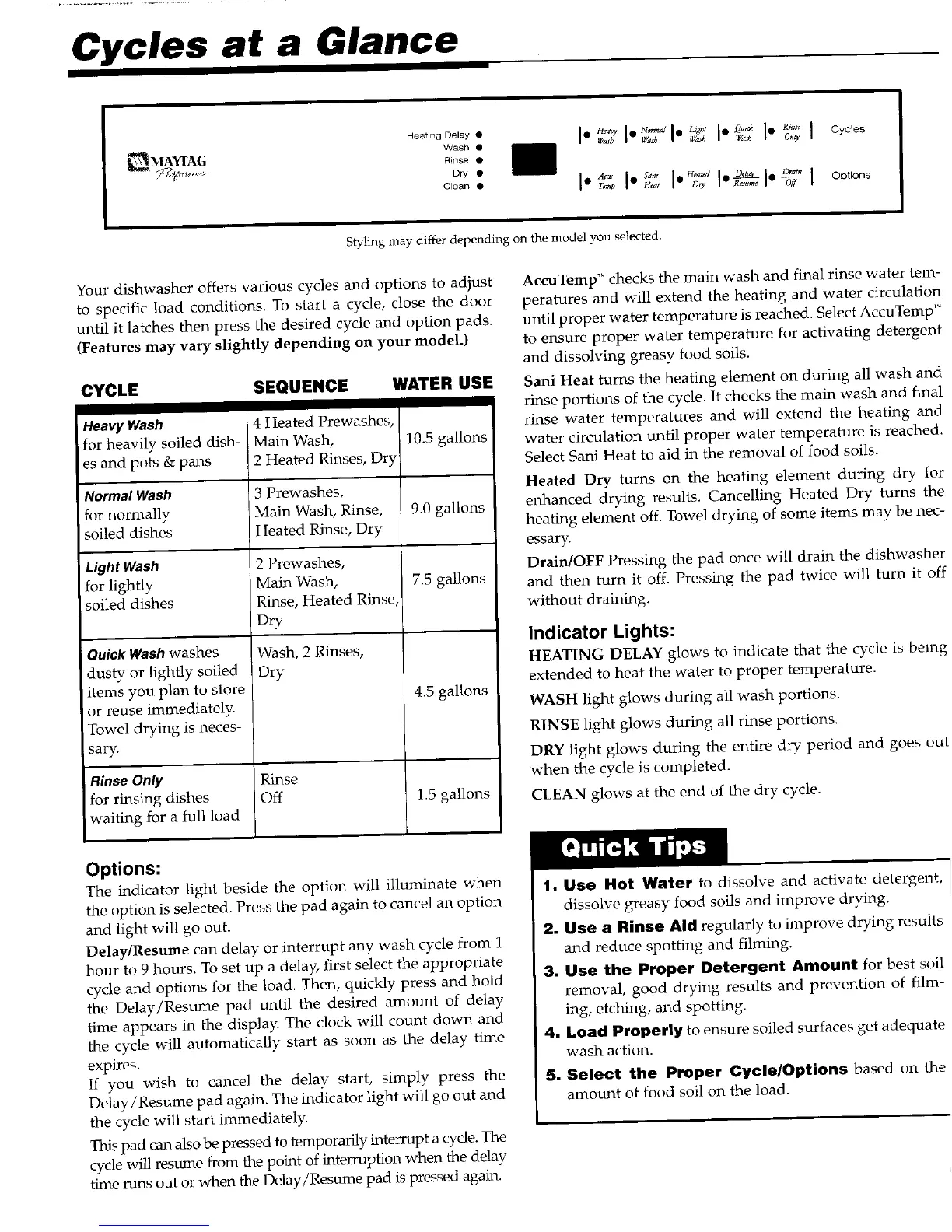
Hoa nODooy. I" I I"R°I Oycos
Wash • Wash Wash UTa_h Wash Only
_ MAYfAG
_;_:,_,._ Rinse•
Dry •
" I"'°°I'Y I" I""°°
Styling may differ depending on the mode] you selected.
Your dishwasher offers various cycles and options to adjust AccuTemp TM checks the main wash and final rinse water tern-
to specific load conditions. To start a cycle, close the door peratures and will extend the heating and water circulatior
until it latches then press the desired cycle and option pads. until proper water temperature is reached. Select AccuTemp"
(Features may vary slightly depending on your model.) to ensure proper water temperature for activating detergeni
and dissolving greasy food soils.
CYCLE SEQUENCE WATER USE Sani Heat turns the heating element on during all wash an(
rinse portions of the cycle. It checks the main wash and fina
HeavyWash 4 Heated Prewashes, rinse water temperatures and will extend the heating am
for heavily soiled dish- Main Wash, 10.5 gallons water circulation until proper water temperature is reached
es and pots & pans 2 Heated Rinses, Dry Select Sani Heat to aid in the removal of food soils.
Normal Wash 3 Prewashes, Heated Dry turns on the heating element during dry fo
for normally Main Wash, Rinse, 9.0 gallons enhanced drying results. Cancelling Heated Dry turns th,
soiled dishes Heated Rinse, Dry heating element off. Towel drying of some items may be nec
essary.
Light Wash 2 Prewashes, Drain/OFF Pressing the pad once will drain the dishwash_
for lightly Main Wash, 7.5 gallons and then turn it off. Pressing the pad twice will turn it o
soiled dishes Rinse, Heated Rinse, without draining.
IDry
iWash, Indicator Lights:
Quick Washwashes 2 Rinses, HEATING DELAY glows to indicate that the cycle is bein
dusty or lightly soiled i Dry extended to heat the water to proper temperature.
items you plan to store 4.5 gallons
or reuse immediately. WASH light glows during all wash portions.
Towel drying is neces- Rinse RINSE light glows during all rinse portions.
sary. DRY light glows during the entire dry period and goes o
Rinse Only when the cycle is completed.
for rinsing dishes Off 1.5 gallons CLEAN glows at the end of the dry cycle.
waiting for a full load
Quick Ti )s
Options:
The indicator light beside the option will illuminate when 1. Use Hot Water to dissolve and activate detergent
the option is selected. Press the pad again to cancel an option dissolve greasy food soils and improve drying.
and light will go out. 2. Use a Rinse Aid regularly to improve drying result
Delay/Resume can delay or interrupt any wash cycle from 1 and reduce spotting and filming.
hour to 9 hours. To set up a delay, first select the appropriate
cycle and options for the load, Then, quickly press and hold 3. Use the Proper Detergent Amount for best soJ
the Delay/Resume pad until the desired amount of delay removal, good drying results and prevention of film
time appears in the display. The clock will count down and ing, etching, and spotting.
the cycle will automatically start as soon as the delay time 4. Load Properly to ensure soiled surfaces get adequat
expires, wash action.
If you wish to cancel the delay start, simply press the 5. Select the Proper CycleOptions based on th.
Delay/Resume pad again. The indicator light will go out and amount of food soil on the load.
the cycle will start immediately.
This pad can also be pressed to temporarily interrupt a cycle. The
cycle will resume from the point of interruption when the delay
time runs out or when the Delay/Resmne pad is pressed again.



 To Next Page