9
CLASSIC 8+ / TOP 8 | User Instructions
7. HOW TO USE THE REMOTE CONTROL
*
for specific models only
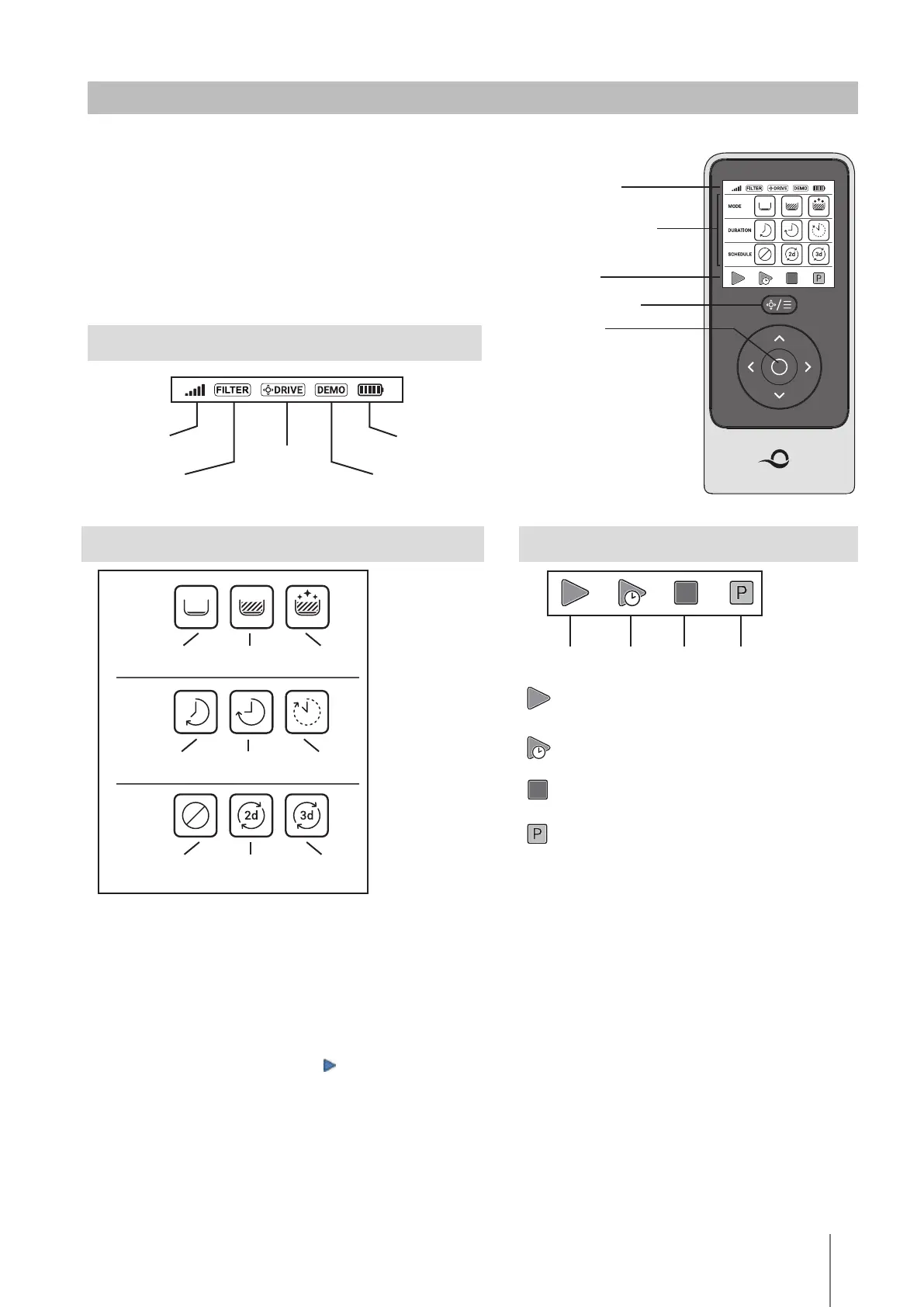
The remote-control unit oers two operation modes:
• Automatic mode - cleaning parameters can be changed
• Manual Drive mode - motion can be controlled manually
7.1 Getting Started with the Remote Control
1. If the Pool Cleaner is OFF, turn on the remote-control-unit and wait 2 seconds to view the
screen display.
2. Press the START icon
3. The power supply will turn on, indicated by a blue LED light.
4. The Pool Cleaner will start cleaning according to the selected settings.
CLEANING SETTINGS
Floor, walls and
waterline
Floor only
Ultra clean
Default
cycle
Short cycle
Long cycle
Clean every
2nd day
Schedule disabled
Clean every
3rd day
CLEANING
MODE
DURATION
SCHEDULE
ACTION
Start
Starts cleaning immediately, according to
selected settings.
Start later
Starts cleaning after 1 hour.
Stop
Stops the robot in its place and turns it o.
Pick me up *
The robot will come to the surface of the pool,
for easy pickup.
Start Start later Stop Pick me up
* For specific models only
STATUS BAR
Signal strength
indicator
Filter indicator *
Blinks when you need to clean the filter
Battery level
indicator
Technician mode *
Manual drive
mode
STATUS BAR
CLEANING SETTINGS
ACTION
MODE SELECTOR
ON / OFF


 To Next Page