6
M600 / ZENIT 60 / ACTIVE X6 / ACTIVE ULTIMATE Robotic Pool Cleaner | User Instructions
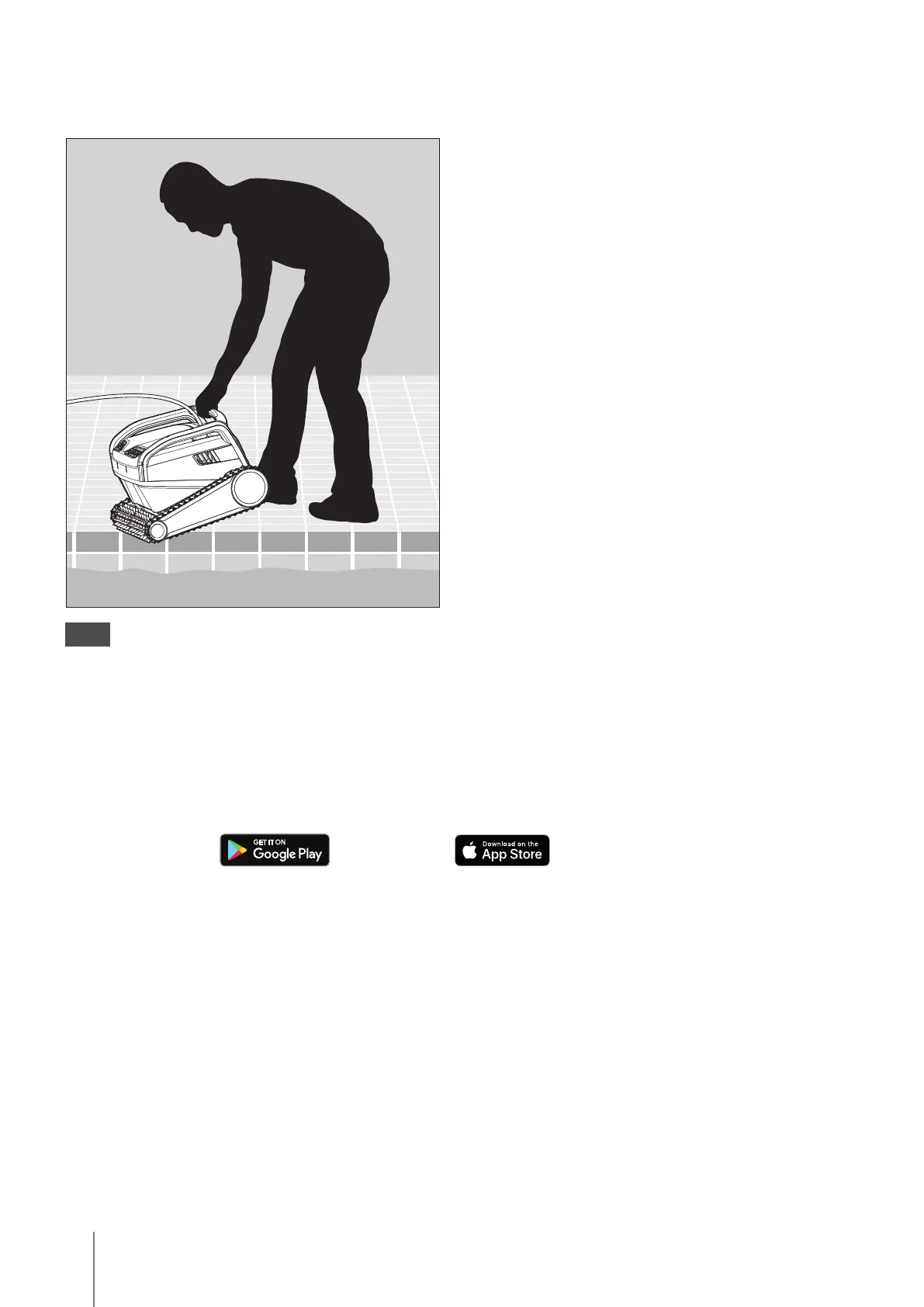
5.2 Placing the Robotic Pool Cleaner into the pool
Place the Robotic Pool Cleaner in the pool.
Release it and let it sink to the floor of the pool.
Make sure that the floating cable is free of any obstacles.
5.2.1
5.3 Connecting the robot to your smart device (Phone or tablet)
Please follow these simple steps:
1. Download the MyDolphin™ Plus App to your smart device (phone or tablet) from
Google Play
or the App Store
.
2. Activate Bluetooth® and Wi-Fi® on your smart device (phone or tablet).
3. During the initial connection to the robot, the smart device must be connected to your home
Wi-Fi® network (Please see section 3.2).
4. Activate the MyDolphin™ Plus App on your smart device.
5. Scan the QR code on the side of the power supply, and follow the instructions.
After completing the set-up, you will have access to advanced features, troubleshooting tips, and
additional programing options.



 To Next Page