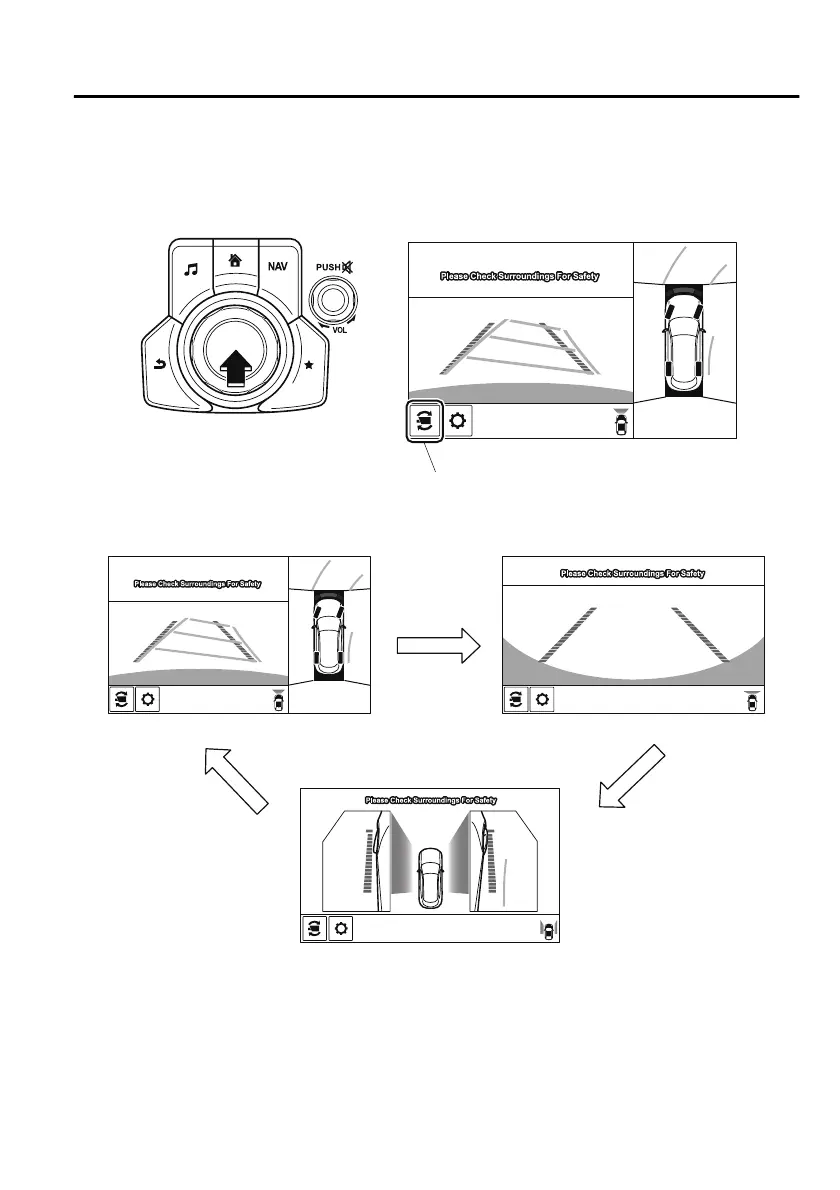
Display switching
You can change the displayed screen by pressing the commander knob or by touching the
switch camera icon on the screen while the top view/front view, front wide view, or the side
view is displayed.
Top view/Front view Front wide view
Side view
Switch camera icon
NOTE
When the selector lever is in R position, the displayed screen does not switch to the top
view/front view, front wide view, or the side view.
Display of the top view/front view, front wide view, or the side view stops even with the
display conditions met if any of the following conditions occurs.
When a switch around the commander knob is pressed.
When Driving
i-ACTIVSENSE
4-137
CX-8_8HJ9-EI-19E_Edition2_old 2020-4-15 13:00:04



 To Next Page