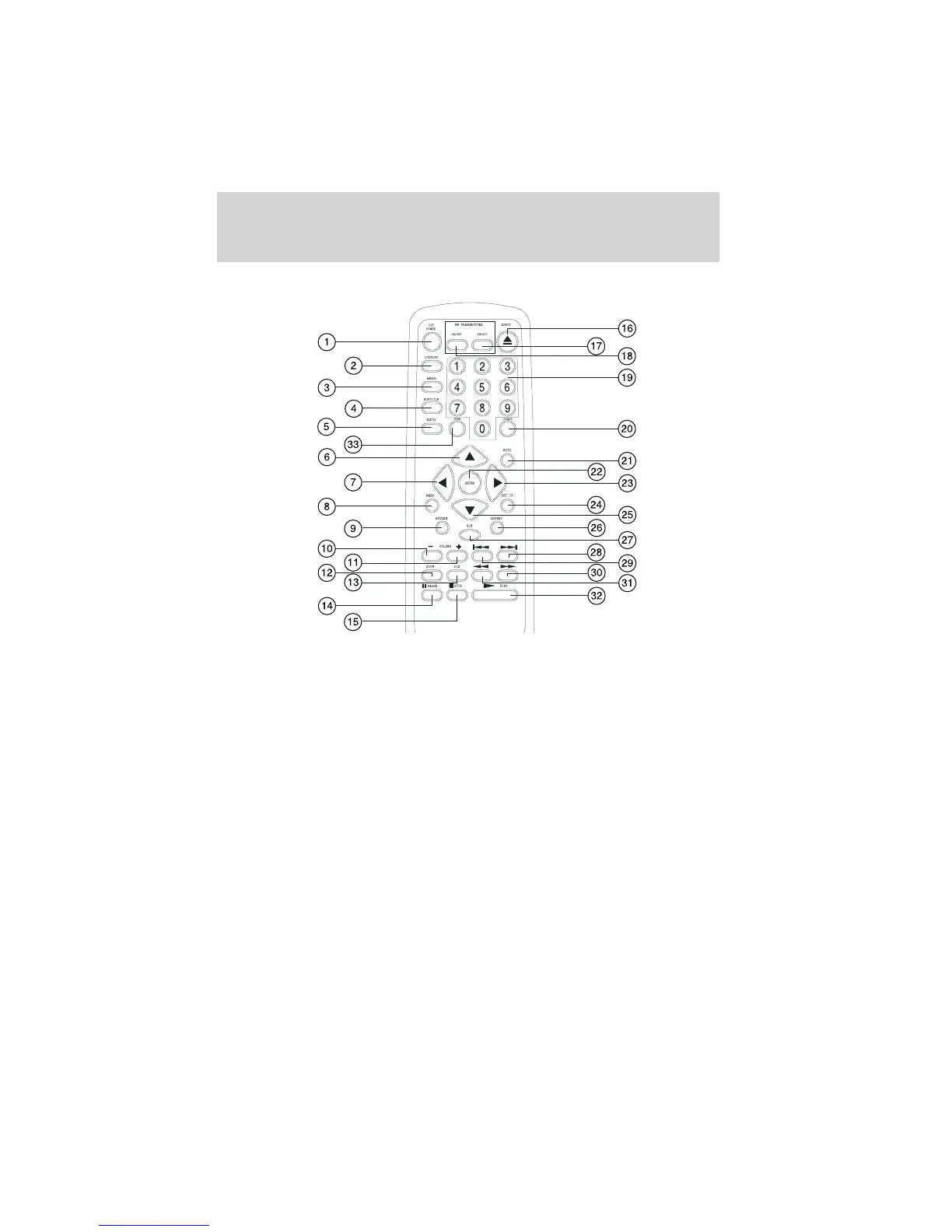
DVD AND REMOTE CONTROL FUNCTION DESCRIPTIONS
1. DVD POWER on/off button
*
Press this button to turn the unit on. The DVD or selected video
source will be displayed on screen and the picture will appear in a few
seconds. Press the button again to turn the unit off.
2. DISPLAY button
Press to display current DVD information.
• Press once to display current TITLE, CHAPTER and elapsed time.
• Press twice to display current SUBTITLE.
• Press three times to display current AUDIO language, channel and
elapsed time.
• Press four times to display current SURROUND status and elapsed
time.
• Press five times to display current ANGLE and elapsed time.
• Press six times to display current A-B status and elapsed time.
• Press seven times to display current REPEAT status and elapsed time.
• Press eight times to turn display off.
*
The function control is available on the unit and the remote control.
Features
10



 To Next Page