6
8) OPERATION OF THE APPLIANCE
PRELIMINARIES
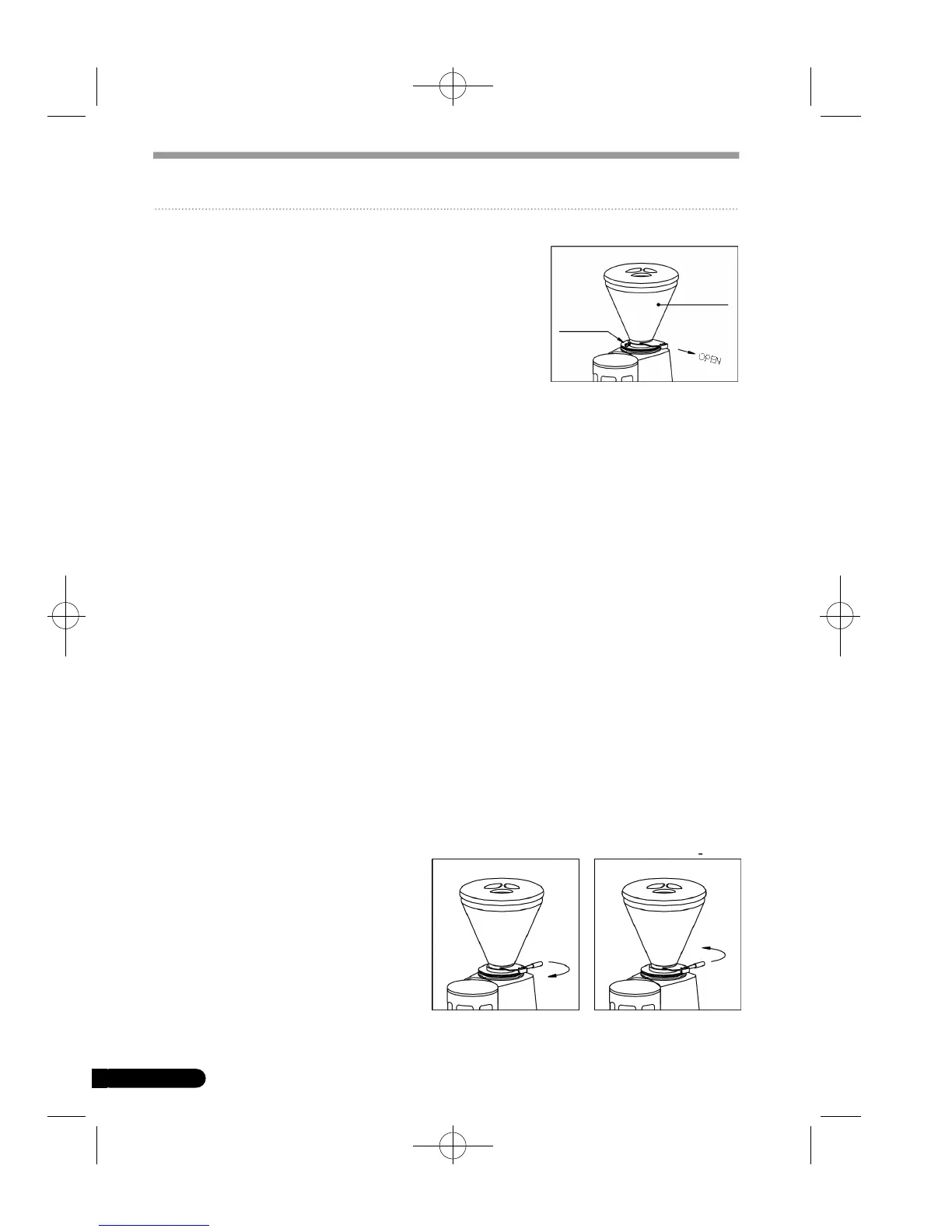
Make sure the hopper is positioned correctly on the
appliance and is fastened to the upper grinding blade
holder by means of the relevant screw.
Close the locking slide and fill the hopper with coffee
beans. Open the locking slide so that the beans are
allowed to drop into the grinding system.
SWITCHING THE APPLIANCE ON AND OFF
GRINDER-DOSERS WITH MANUAL SWITCH AND COFFEE GRINDERS
The on-off switch is used to turn the appliance both on and off.
To switch on:set the switch to I.
To switch off: set the switch to O.
GRINDER-DOSERS WITH TIME SWITCH
In order to switch the appliance on, turn the timer knob clockwise.
The appliance switches off automatically.In order to switch it off manually,turn the
knob anticlockwise all the way.
AUTOMATIC GRINDER-DOSERS
In order to power up the ap p l i a n c e,turn the on-off switch knob to I.In order to sw i t-
ch the appliance on manu a l ly,the switch knob must be turned all the way (to STA RT ) .
The appliance starts up automatically every 12 portions of coffee (every 6 portions
in the MINI model). It switches off automatically when the doser is filled with
ground coffee.
In order to switch off the appliance manually, set the on-off switch knob to O.
ADJUSTING GRINDING
In order to achieve finer or coarser grinding, the adjustment disk located under the
hopper must be adjusted using the relevant handle.
In order to increase the coarseness of
the ground coffee, the disk must be
rotated clockwise; to decrease, turn
the disk anticlockwise.
The disk remains in the chosen posi-
tion without having to be locked in
place.
HOPPER
SAFETY
SCREW
HOPPER
COARSER GRINDING FINER GRINDING
inglese 23-07-2001 13:16 Page 6


 To Next Page